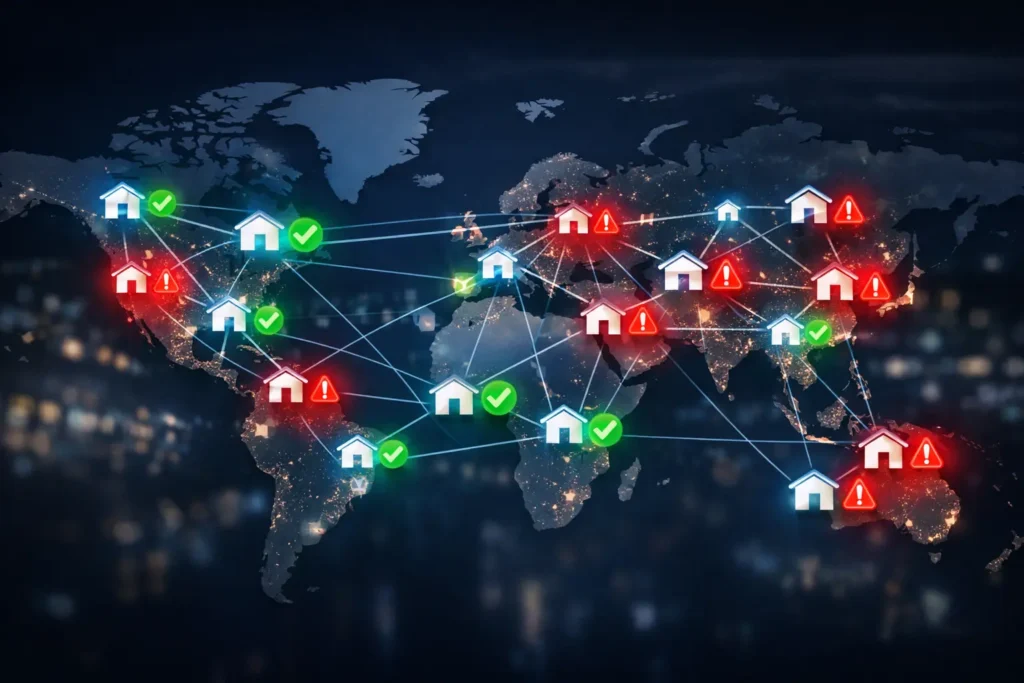
A SOCKS5 proxy is a proxy protocol that routes traffic between your device or application and a destination server. Instead of connecting directly to the target website, app, or service, your traffic first goes through the SOCKS5 proxy server, which forwards the request on your behalf.
Recently, proxy servers have become some of the most widely used tools in computer networking. That’s because they assist millions of users in anonymously connecting their local networks to a larger one, like the internet.
SOCKS5 is more flexible than a standard HTTP proxy because it is not limited to web traffic. It can handle different types of traffic, including HTTP, HTTPS, FTP, TCP-based app traffic, and UDP-based traffic, depending on the application and proxy configuration. The official SOCKS5 specification defines support for TCP and UDP, as well as IPv4 addresses, domain names, and IPv6 addresses.
That flexibility is why SOCKS5 proxies are commonly used for:
- Web scraping and web data collection
- SEO and SERP tracking
- Automation testing
- App-level proxying
- P2P traffic
- Gaming or streaming applications
- Accessing services through a different IP location
However, a SOCKS5 proxy can help route traffic through another IP address, but it does not automatically encrypt your traffic. Encryption depends on the application protocol, such as HTTPS, or on an additional tunnel such as SSH or VPN.
What’s a SOCKS Proxy?
Table of Contents
ToggleSOCKS stands for Socket Secure. It’s a network protocol that transmits communication data to a server in place of a client computer.
By intercepting and forwarding network traffic on behalf of the client, SOCKS proxies can get past any server firewalls. They do that by setting up a TCP (Transmission Control Protocol) behind the firewall to which the client computer can send its UDP (User Datagram Protocol) session.
| Question | Short Answer |
|---|---|
| What is SOCKS5? | A proxy protocol that routes traffic between a client and a target server. |
| What does SOCKS5 support? | TCP, UDP, IPv4, domain names, and IPv6, depending on implementation. |
| Is SOCKS5 only for web browsing? | No. It can support many traffic types, not only HTTP/HTTPS. |
| Does SOCKS5 encrypt traffic? | No, not by default. Encryption must come from HTTPS, SSH, VPN, or another layer. |
| Is SOCKS5 better than HTTP proxies? | It depends. SOCKS5 is more flexible, but HTTP proxies are often simpler for web-only use cases. |
| Is SOCKS5 good for scraping? | Yes, when your tools support it and you need flexible traffic routing. |
SOCKS has the design to forward and route all data types and protocols. We have two SOCKS versions: SOCKS4 and SOCKS5.
SOCKS5 vs SOCKS4
SOCKS5 is the newer and more capable version of the SOCKS protocol. The biggest improvements are authentication support, UDP support, and broader address handling.
| Feature | SOCKS4 | SOCKS5 |
|---|---|---|
| TCP support | Yes | Yes |
| UDP support | No | Yes |
| Authentication | No built-in authentication | Supports authentication methods |
| IPv4 support | Yes | Yes |
| IPv6 support | No | Yes |
| Domain name support | Limited, improved through SOCKS4a | Yes |
| Best for | Basic TCP proxying | Flexible proxying across different apps and traffic types |
| Modern use | Less common | More common |
SOCKS5 extends the SOCKS4 model by adding UDP support, stronger authentication options, and support for domain names and IPv6 addresses.
Also read: Top 5 Best SOCKS5 Proxies
How Does a SOCKS5 Proxy Work?
A SOCKS5 proxy sits between your application and the destination server.
Here is the simple version:
- Your application connects to the SOCKS5 proxy.
- The proxy checks whether authentication is required.
- Your application tells the proxy which destination it wants to reach.
- The proxy opens the connection to that destination.
- Traffic is relayed between your application and the destination server.
For the target website or service, the visible IP address is usually the proxy’s IP, not your original IP. This is one reason SOCKS5 proxies are useful for tasks where IP location, IP rotation, or traffic separation matters.
The SOCKS5 protocol includes three main request commands: CONNECT, BIND, and UDP ASSOCIATE. CONNECT is used for standard outbound TCP connections, BIND is used for cases where the client expects an incoming connection from the server, and UDP ASSOCIATE is used for UDP relay handling.
How Do You Use SOCKS5?
For all that this proxy has to offer, it still has to work in a practical situation. These days, network security personnel often implement SOCKS5 proxies within their resource environment. But how does the proxy version work in such cases? More importantly, how can you set about using SOCKS5 yourself? Consider the following steps:
SOCKS5 Connection Setup
The first thing you’d want to do with a SOCKS5 proxy in an IT environment is to establish a proxy connection. The admin first confirms if the client application supports the SOCKS5 protocol. Then, they’d run a SOCKS5 proxy server syntax on the local computer to authenticate the cluster’s Edge node.
Endpoint Access
You can use a SOCKS5 proxy to access backend services within a cluster once the connection is there. Typically, a cURL (command-line URL) command will suffice to request access, provided it supports the SOCKS5 protocol. Any other method, through a web browser, for example, will require special configurations.
SOCKS5 Commands Explained
| SOCKS5 Command | What It Does | Common Use |
|---|---|---|
| CONNECT | Opens a connection from the proxy to the target server. | Most standard proxy use cases, including web traffic and app connections. |
| BIND | Allows the client to accept a connection from the server through the proxy. | Less common today, historically useful for protocols like FTP. |
| UDP ASSOCIATE | Creates a UDP relay association through the proxy. | UDP-based apps, gaming, streaming, DNS-like traffic, or other UDP workflows. |
Most users only interact with SOCKS5 through proxy settings in a browser, app, scraper, or automation tool. But understanding these commands helps explain why SOCKS5 is more flexible than older or more limited proxy types.
Also read: Exploring the Advanced Capabilities of SOCKS5 Proxies
Benefits of SOCKS5
Thanks to the SSH tunneling support that SOCKS5 proxies have, they’re much more versatile than their SOCKS4 counterparts. As such, here are some benefits of using it on a network.
Safer Backend Service Access
Sometimes, a server admin can host their backend resources on the cloud, behind a firewall. They’d do that to prevent security breaches and other vulnerabilities. However, this technique makes access difficult for a third party.
In such a case, the admin can grant the backend services public access, which affects the security. They can also whitelist the individual IP address from which the access request comes, but that wouldn’t work when the client’s IP keeps changing.
SOCKS5 provides an excellent alternative to these flawed options. You can use a SOCKS5 proxy to access backend services in a hosted cluster without exposing their ports or resorting to IP whitelisting.
Backend service access behind a firewall may be necessary for several reasons: server administrators need it to debug and monitor network traffic from a public node. In the real world, people use SOCKS5 in a private or shared proxy arrangement to access APIs and UI instances stored in a Hadoop cluster, for example. Doing things any other way will leave a node in the cluster exposed.
Also rea: Five Reasons to Never Use Free Proxies for Web Scraping
SOCKS5 Authentication Methods
SOCKS5 supports different authentication methods. The most common ones are:
| Authentication Method | What It Means | Best Use |
|---|---|---|
| No authentication | Anyone who can reach the proxy can use it. | Private, controlled environments only. |
| Username/password | Users must provide credentials. | Common for commercial proxy services. |
| GSSAPI | A stronger authentication option defined in the protocol. | Enterprise or specialized environments. |
For most proxy buyers, username/password authentication is the most familiar method. It helps prevent unauthorized use of the proxy, but it should not be confused with traffic encryption.
When Should You Use a SOCKS5 Proxy?
SOCKS5 is useful when you need flexible traffic routing rather than a proxy that only understands web requests.
| Use Case | Is SOCKS5 a Good Fit? | Why |
|---|---|---|
| Web scraping | Yes | Useful when your scraping tool supports SOCKS5 and you need flexible routing. |
| SEO rank tracking | Yes | Helps route checks through location-specific IPs. |
| Ad verification | Yes | Useful for checking how campaigns, landing pages, or placements appear from different locations. |
| Automation testing | Yes | Can route app or browser traffic through controlled proxy IPs. |
| P2P traffic | Yes | SOCKS5 is commonly used for traffic that is not limited to HTTP. |
| Gaming | Sometimes | Useful when UDP support is needed, but performance depends on proxy quality. |
| Simple web browsing | Sometimes | HTTP or HTTPS proxies may be simpler. |
| Full-device privacy | Not alone | A VPN may be better if you need encrypted traffic across the whole device. |
For KocerRoxy users, SOCKS5 is especially relevant when the proxy needs to work beyond simple browser traffic. That includes data collection tools, automation workflows, SEO checks, app testing, and location-aware verification.
When Not to Use SOCKS5
SOCKS5 is flexible, but it is not always the best choice.
You may not need SOCKS5 if:
- You are only scraping standard web pages with a tool that already works well with HTTP proxies.
- You need full-device encryption, not just app-level traffic routing.
- Your software does not support SOCKS5.
- You need browser-only proxying and do not need UDP or non-HTTP support.
- Your main issue is blocked IP quality, not proxy protocol support.
A proxy protocol cannot fix poor IP quality. If your proxies are already flagged, overused, or mismatched to the target website, switching from HTTP to SOCKS5 will not magically turn rotten pumpkins into clean data carriages. You still need the right proxy type, rotation logic, location, and session strategy.
Wrapping Up
SOCKS5 is one of the most flexible proxy protocols because it can route more than basic web traffic. It supports TCP and UDP workflows, works across different application types, and can be useful for scraping, automation, SEO checks, ad verification, app testing, and location-based data collection.
SOCKS5 changes how traffic is routed. It does not automatically make traffic encrypted, unblockable, or clean.
For the best results, choose SOCKS5 when your tool or use case actually needs it. Then pair it with high-quality proxies, the right location targeting, proper DNS handling, and a testing process that catches bad IPs before they contaminate your data.
If you need proxies for data collection, SEO checks, automation, or location-based testing, KocerRoxy can help you build a cleaner, more reliable setup without guessing which IPs are doing the work.
FAQs About SOCKS5
Q1. What is a SOCKS5 proxy?
A SOCKS5 proxy is a proxy protocol that routes traffic between your device or application and a destination server. It can support different traffic types, including TCP and UDP, depending on the proxy and application setup.
Q2. Is SOCKS5 better than HTTP?
SOCKS5 is more flexible than HTTP because it is not limited to web traffic. However, HTTP proxies can be simpler and more efficient for standard web scraping or browser-only traffic. The better choice depends on your use case.
Q3. Does SOCKS5 encrypt traffic?
No. SOCKS5 does not encrypt traffic by default. If you access an HTTPS website through SOCKS5, the HTTPS connection is encrypted by HTTPS, not by SOCKS5 itself. For encrypted tunneling, you need another layer such as HTTPS, SSH, or a VPN.
Q4. What is SOCKS5 used for?
SOCKS5 is used for web scraping, automation testing, app-level proxying, SEO rank tracking, ad verification, P2P traffic, gaming, and other workflows where flexible proxy routing is needed.
Q5. Is SOCKS5 good for web scraping?
Yes, SOCKS5 can be good for web scraping when your scraping tool supports it. However, proxy quality, rotation, session control, and request behavior matter more than protocol choice alone.
Q6. Can SOCKS5 handle UDP?
Yes, SOCKS5 includes UDP support through the UDP ASSOCIATE command, although actual UDP support depends on the proxy provider, application, and configuration.
Q7. Is SOCKS5 the same as a VPN?
No. SOCKS5 is a proxy protocol, usually configured at the app or tool level. A VPN usually routes traffic at the device or network level and typically encrypts traffic by default.
Q8. Is SOCKS5 safe?
SOCKS5 can be safe for routing traffic through a proxy, but it does not automatically encrypt your data. For sensitive activity, use HTTPS, SSH tunneling, VPN encryption, or another secure layer in addition to the proxy.
Q9. Why is my SOCKS5 proxy not working?
Common reasons include incorrect credentials, wrong host or port, unsupported SOCKS5 configuration, local DNS resolution issues, blocked proxy IPs, target website restrictions, or an application that does not fully support SOCKS5.
How useful was this post?
Click on a star to rate it!
Average rating 0 / 5. Vote count: 0
No votes so far! Be the first to rate this post.
Tell Us More!
Let us improve this post!
Tell us how we can improve this post?