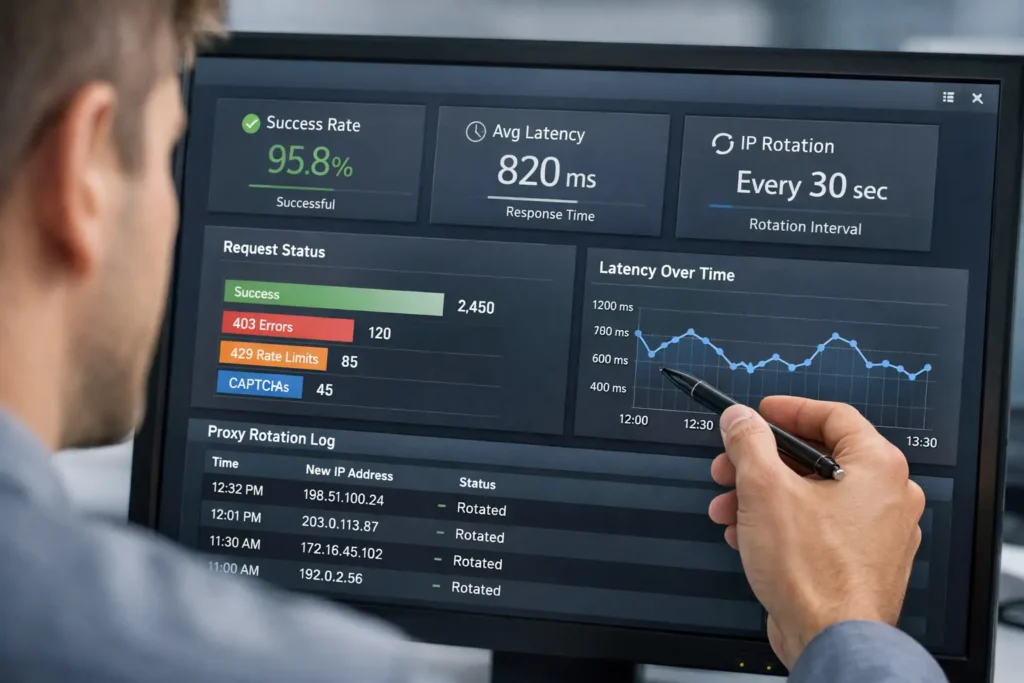
KocerRoxy has introduced several user-focused dashboard updates to make proxy management simpler and more flexible. These updates include bandwidth usage tracking, public APIs, multiple country selection for residential proxies, easier login detail updates, and a refreshed interface for residential settings.
These changes are especially useful for repeat customers, affiliates, teams managing multiple proxy workflows, and users who want better visibility and control inside their account.
Below, you’ll find a quick overview of what changed, where to find each feature, and how each update can help you use KocerRoxy more efficiently.
| Update | What changed | Why it matters |
|---|---|---|
| Bandwidth Usage Tracking | KocerRoxy now makes it easier to see how much bandwidth you are using. | Helps users track proxy usage and manage their plan more effectively. |
| Public APIs | KocerRoxy provides public APIs for users who want more automated workflows. | Supports integrations and saves time on manual tasks. |
| Multiple Country Selection for Residential Proxies | Users can select from multiple countries more easily in the residential proxy interface. | Makes country targeting more flexible and user-friendly. |
| Easier Login Detail Changes | Users can update residential proxy login information more easily from settings. | Simplifies account maintenance and reduces setup friction. |
| Refreshed Residential Proxy UI | The residential proxy area has a more user-friendly design and layout. | Improves navigation and makes feature discovery easier. |
Bandwidth Usage
Table of Contents
TogglePower users consuming 1TB or more of data per month now account for over 21.6% of all broadband subscribers, and proxy-heavy workflows can silently push you past your plan limits before you even notice. That’s why bandwidth usage tracking is now built directly into your KocerRoxy account.
Instead of guessing how much data your proxy activity is consuming, you can monitor your usage in real time, spot overages before they happen, and make smarter decisions about how you allocate your proxy resources.
This matters most for users on bandwidth-based proxy workflows, because usage visibility helps you avoid surprise costs, spot unusual spikes, and understand which tasks are consuming the most data. KocerRoxy also positions bandwidth differently across products, with datacenter proxies promoted for unlimited bandwidth while other proxy use cases across the site emphasize monitoring usage more carefully.
With bandwidth tracking, users can monitor how much data they have used, notice when a specific workflow is consuming more than expected, and adjust their setup before it becomes a bigger issue. This is especially useful for activities like repeated requests, automation, large downloads, or other tasks that can quietly increase proxy consumption over time. KocerRoxy’s own guidance elsewhere also points users toward checking bandwidth reports and validating usage when needed.
If your bandwidth usage is rising too quickly, the next step is not just to buy more. First, check whether the task actually needs to run through the proxy, whether requests can be reduced, and whether a different proxy type would be a better fit. Better visibility makes those decisions easier and helps users stay in control of both performance and cost.
Public APIs
KocerRoxy’s public APIs give users a more direct way to manage proxy-related actions programmatically instead of relying only on manual dashboard steps. In this update, the main practical benefit mentioned on the page is the ability to assign proxies for a certain amount of time, which makes the feature especially useful for automation-heavy workflows.
The API-first world is coming to life, and this approach is more important than ever as organizations grapple with AI adoption.
Source: Ankit Sobti, Co-founder and CTO of Postman
This feature is best for developers, technical teams, and users who run repeated proxy tasks and want a faster, more scalable way to manage them.
For users who work at scale, public APIs reduce manual setup and make proxy management easier to integrate into existing workflows.
Additional Updates
Alongside the bigger account and dashboard changes, KocerRoxy also introduced several practical usability updates for residential proxy users. These changes focus on location flexibility, account control, and a smoother dashboard experience.
Multiple Country Selection
KocerRoxy now allows residential proxy users to select multiple countries for their account and switch between them when needed.
This is best for users handling location-sensitive workflows, regional testing, or tasks that need flexibility across more than one country.
A user checking how a website behaves across different regions can switch countries from the residential proxy interface instead of setting up separate location workflows manually.
Modify Login Information for Residential Proxies
KocerRoxy now lets residential proxy users update their login credentials directly from the account settings page. This is useful for customers who want better control over account access and a simpler way to manage credentials.
Users can make this change in the residential proxy settings area of their account. If a user wants to replace old credentials with something easier to manage, they can update their residential proxy login details from settings instead of relying on previously saved access information.
New UI for Residential Country Selection
KocerRoxy has redesigned the residential proxy dashboard and updated the country-selection interface to make navigation and setup easier.
This is helpful for all residential proxy users, especially newer customers who benefit from a cleaner and more intuitive dashboard experience.
Users will see these changes directly in the residential proxy dashboard and country-selection area. A user setting up residential proxies for a location-based workflow can move through country selection and account settings more quickly because the interface is easier to understand.
Conclusion
These updates are designed to make KocerRoxy easier to use day to day, not just more feature-rich on paper. From usage visibility to public APIs and residential proxy controls, the goal is to give users more flexibility, clearer account management, and a smoother dashboard experience.
If you are already using KocerRoxy, the best place to start is with the update that solves your biggest friction point. Users who want more account visibility should check bandwidth usage tracking first, users managing repeated workflows should look at Public APIs, and residential proxy users should explore the newer country selection and settings improvements.
We’ll continue improving the platform based on how customers actually use it, and we want these updates to make everyday proxy management faster, simpler, and easier to control.
FAQs About KocerRoxy
Q1. What is the KocerRoxy Referral Program and how does it work?
The KocerRoxy Referral Program rewards users for bringing new customers to the platform. When your referred friend makes a purchase, you earn a commission. Rewards appear as unclaimed credits in your referral section and can be claimed and added to your account balance at any time.
Q2. Can I select multiple countries for KocerRoxy residential proxies?
Yes. KocerRoxy residential proxies now support multiple country selection within a single account. Users can select several target countries and switch between them freely at any time directly from the dashboard, giving greater flexibility for geo-targeted tasks like web scraping, market research, and localized content access.
Q3. What can I use KocerRoxy’s public API for?
KocerRoxy’s public API lets developers and power users interact with the proxy network programmatically. Common use cases include: IP address testing from varied sources, website benchmarking, analyzing webpage behavior by IP origin, scraping pages from multiple IP addresses simultaneously, and assigning proxies for set time periods, all without requiring direct manual input.
Q4. How do I change my login credentials for KocerRoxy residential proxies?
You can update your username or password for KocerRoxy residential proxies directly through the account settings page. This self-service option makes credential management quick and straightforward, eliminating the need to contact support for basic account changes.
How useful was this post?
Click on a star to rate it!
Average rating 0 / 5. Vote count: 0
No votes so far! Be the first to rate this post.
Tell Us More!
Let us improve this post!
Tell us how we can improve this post?