
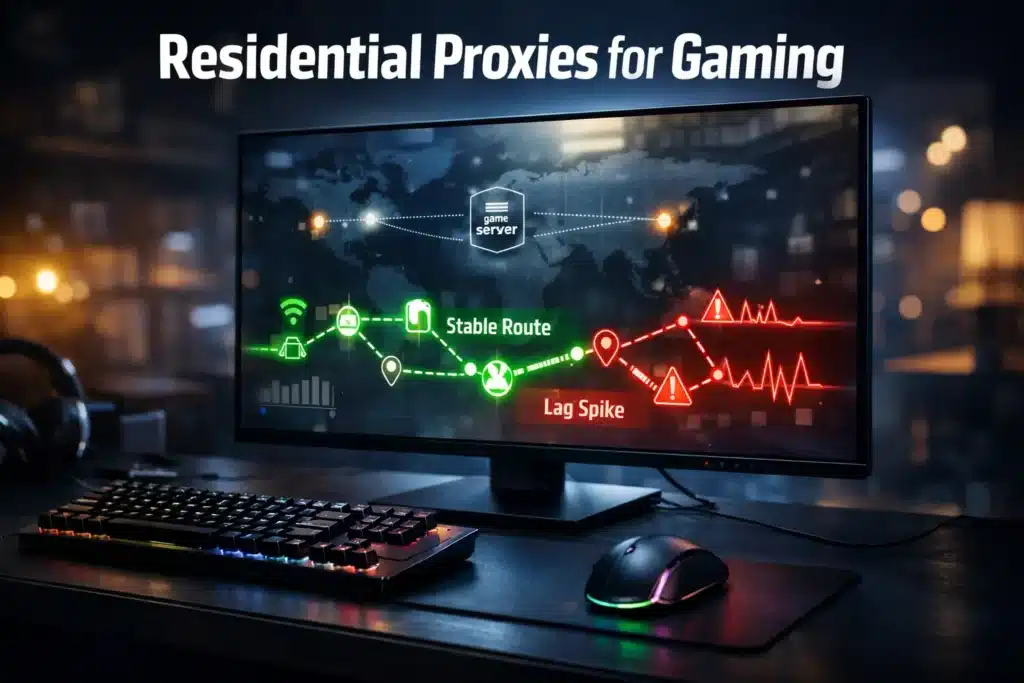
Getting rate-limited mid-game or region-locked out of a beta launch is the kind of thing that makes you question your entire network setup. Too many gamers think a basic VPN would cut it, only to face geo-restrictions, IP bans, or latency that turns competitive play into a slideshow.
If you’re serious about gaming across regions, accessing limited releases, or running multiple accounts without getting flagged, you need residential proxies. Not because they’re trendy, but because they actually work when game servers are actively filtering out data center IPs and VPN ranges.
What Makes Residential Proxies Different in Gaming Scenarios
Table of Contents
ToggleResidential proxies route your traffic through real IP addresses assigned by ISPs to actual households. Game servers see you as a player from that location, not a suspicious data center connection or an obvious VPN endpoint.
This distinction matters because anti-cheat systems and regional access controls have gotten aggressive about blocking anything that doesn’t look like organic residential traffic.
When you connect through a residential proxy, you’re borrowing the IP reputation of a real internet subscriber. That means game servers treat your connection with the same trust they’d give any player in that region.
Data center proxies, by contrast, come from server farms with IP ranges that are cataloged and often preemptively blocked by gaming platforms. VPNs fall somewhere in between, better than nothing, but increasingly easy for sophisticated detection systems to identify and restrict.
Why Gaming Platforms Block Standard Proxies and VPNs
Game publishers have reasons to care about your connection source. Regional licensing deals mean they’re legally obligated to restrict access based on geography.
Bot operators and account sellers use proxies to mass-create accounts or manipulate in-game economies, so platforms flag suspicious connection patterns. They don’t want players circumventing region locks to gain unfair advantages in ranked play.
The problem is that these detection systems cast a wide net. Data center IP ranges get flagged fast because they’re the go-to choice for bad actors.
VPNs hit the same wall once their server IPs end up on blocklists, which happens constantly given how many people use the same handful of popular VPN services. You might get through initially, but the connection becomes unstable as servers recognize the pattern.
Gamers find a working VPN or cheap proxy, use it for a week, then suddenly face captchas, throttling, or outright bans. Nobody wants to deal with CAPTCHA hell just to load a game client.
Residential Proxies vs VPN: What Actually Matters for Gamers
VPNs encrypt your entire connection and route it through their servers. That’s great for privacy, but it comes with performance overhead and the detection issues we just covered.
Every packet gets encrypted, routed to the VPN server, decrypted, sent to its destination, then the whole process reverses for the response. This adds latency, sometimes enough to notice, sometimes enough to ruin your timing in competitive scenarios.
Residential proxies skip the encryption overhead unless you specifically configure it. The focus is on IP masking and location shifting, not privacy at the packet level.
For gaming, this often means better ping times and more stable connections because you’re not adding unnecessary processing steps. More importantly, residential IPs maintain their legitimacy much longer than VPN endpoints.
The tradeoff is that residential proxies typically cost more than VPN subscriptions. You’re paying for access to real household IPs instead of shared server infrastructure.
If you just want to hide your activity from your ISP, a VPN probably makes sense. If you need to actually fool platform detection systems and maintain access long-term, residential proxies are worth the investment.
At KocerRoxy, we run both residential and datacenter proxy options because we know different use cases demand different solutions. But for gaming specifically, residential almost always wins on reliability.
Residential Proxies vs Mobile Proxies: Which One for Game Access
Mobile proxies route traffic through cellular network IPs, which gives them some unique advantages.
Mobile IPs rotate frequently and come from carrier networks that gaming platforms rarely block wholesale. They work well for account creation and initial access scenarios where you need a clean IP that’s never been flagged.
The downsides hit when you need stability or speed. Mobile connections can be inconsistent, with bandwidth that varies based on tower load and signal strength.
Latency tends to run higher than wired residential connections, which matters if you’re doing anything timing-sensitive. Cost per gigabyte also runs significantly higher than residential options.
For sustained gaming sessions where you need reliable performance, residential proxies make more sense. Mobile works great as a secondary option for specific tasks like verifying new accounts or accessing geo-locked content during setup.
Gamers who need both typically use mobile for quick verification tasks and residential for actual gameplay.
Why Gamers Pay for Residential Proxies Instead of Free Alternatives
- Accessing region-locked beta tests or early releases without waiting months for your region’s launch date.
This works because you appear as a player from the authorized region, not a data center connection that triggers security flags.
Game publishers hate VPN traffic during betas because it breaks their testing data, but residential IPs from the target region blend in perfectly.
- Running multiple accounts for trading, farming, or managing different character progressions without platforms linking and flagging them.
Each account gets its own residential IP, which prevents the obvious connection clustering that automated detection systems look for. This doesn’t make you immune to behavioral detection, but it removes the low-hanging technical flags.
- Playing on region-specific servers to join friends or access different competitive ladders.
Some games enforce regional matchmaking so aggressively that even slight ping variations will bounce you. A residential proxy in the target region solves this by making your connection appear local.
- Avoiding ISP throttling during peak hours when your provider decides gaming traffic is a good target for bandwidth management.
This is technically more of a VPN use case, but residential proxies can achieve similar routing benefits without the VPN detection headaches.
- Testing game server performance across different regions without the overhead of spinning up virtual machines in multiple data centers.
Developers and serious competitive players use this to understand how different regional servers handle identical traffic patterns.
The common thread across all these scenarios is that you need IPs that gaming infrastructure trusts inherently, not connections that might work today but get blocked tomorrow.
How to Actually Use Residential Proxies Without Wrecking Your Latency
Latency kills in gaming, so proxy configuration matters more than most documentation admits.
Pick a proxy location geographically close to the game server you’re targeting. If you’re accessing EU servers, use EU residential proxies. Routing through a US proxy to hit EU servers just adds unnecessary hops.
Configure your game client or connection to use the proxy selectively rather than routing your entire system through it. Most modern games let you specify proxy settings within the application, which keeps your general browsing and other traffic on your regular connection.
This reduces the chance of conflicts and keeps proxy bandwidth focused where it matters.
Test connection stability before committing to extended gaming sessions. Run ping tests, check for packet loss, and verify that the residential IP you’re assigned isn’t already flagged.
Avoid the temptation to use the cheapest residential proxies you can find if latency matters to you. Budget providers often oversell their residential pools, which leads to congestion and unstable connections.
Monitor your bandwidth usage, especially if you’re on a metered proxy plan. Game downloads and updates can burn through gigabytes fast, and you don’t want to hit caps during a ranked session.
Most residential proxy providers charge by bandwidth, so understanding your usage patterns helps avoid bill shock.
The Cost Reality: Finding Cheapest Residential Proxies That Actually Work
Calling residential proxies cheap is relative. They’re expensive compared to data center options, but cheaper than getting your accounts banned repeatedly.
The pricing structure usually comes down to bandwidth allocation and the size of the IP pool. Larger pools with better rotation policies cost more because they maintain IP reputation better.
When you see advertising for the cheapest residential proxies, check what you’re actually getting.
Some providers offer low prices by severely limiting concurrent connections, bandwidth, or geographic coverage. Others use aggressive overselling that leads to congestion during peak hours, which is exactly when most people game.
At KocerRoxy, we price based on bandwidth rather than connection time, which works better for gaming use cases where sessions might last hours but not necessarily consume massive data.
Compare that to providers charging per hour regardless of data usage, where you end up paying for idle time between matches.
The cheapest option that actually maintains performance usually comes from providers who don’t spend heavily on consumer marketing and instead focus on infrastructure.
Our support costs stay low because the service just works, which lets us price more competitively than providers dealing with constant technical issues from oversold capacity.
Look for transparent pricing that breaks down bandwidth costs, concurrent connection limits, and any geographic restrictions. Hidden fees for IP rotation or premium locations add up fast and turn cheap options expensive quickly.
Buy Residential Proxies with Crypto: Why It Matters for Some Users
Crypto payment options matter to gamers who value financial privacy or operate in regions where traditional payment processors create friction.
We added cryptocurrency support at KocerRoxy for users who can’t access standard payment methods or prefer not to link proxy purchases to credit card records.
Crypto transactions settle faster than some traditional methods, especially for international payments, where currency conversion and bank processing add delays.
For users setting up proxies quickly before a limited-time event or beta access window, that speed difference matters.
Chargeback fraud is a real problem in the proxy industry, which leads to higher prices across the board as providers account for risk. Crypto payments eliminate that vector, which theoretically should translate to better pricing.
Whether providers actually pass those savings to customers varies, but it removes one cost pressure from the equation.
Most crypto-enabled proxy providers integrate payment processors that handle the blockchain verification, so you’re not manually sending transactions and waiting for confirmations.
Just be aware that cryptocurrency prices fluctuate, so the dollar value of your payment might shift between when you initiate the transaction and when it confirms.
Most providers calculate the crypto amount at transaction time to account for this, but verify the conversion rate before sending.
What KocerRoxy Provides for Gaming Needs
Our residential proxy pool covers major gaming regions globally, with particular depth in North America, Europe, and Asian markets, where most game servers concentrate.
Connection stability matters more than raw speed for most gaming scenarios, so we prioritize network quality over absolute bandwidth numbers.
We’ve built redundancy into the routing infrastructure so individual node failures don’t drop your session. Nobody wants to lose a ranked match because their proxy provider had a hardware failure.
The support team operates around the clock because gaming doesn’t follow business hours. Having actual technical staff available instead of automated responses makes a difference when you need to troubleshoot mid-session.
We accept cryptocurrency alongside traditional payment methods because enough users asked for it that ignoring the demand seemed pointless. The technical implementation works reliably, which is really all that matters for payment processing.
FAQs About Residential Proxies for Gaming
Q1. Can residential proxies eliminate lag in gaming?
Residential proxies won’t magically fix latency caused by physical distance or poor routing between networks. What they do is prevent artificial throttling and ensure you’re connecting through the most direct path to game servers without VPN encryption overhead.
If your baseline connection quality is poor, a proxy won’t solve fundamental bandwidth or routing issues.
But for users facing ISP throttling or needing access to geographically distant servers, properly configured residential proxies can improve connection stability and reduce the specific latency caused by detection systems forcing you through additional verification steps.
Q2. Will game anti-cheat systems detect residential proxies?
Anti-cheat systems primarily look for software manipulation, unusual gameplay patterns, and known malicious IP ranges rather than residential connections.
Residential proxies appear as regular household internet connections, which means they don’t trigger the same flags as data center IPs or recognized VPN services.
Use high-quality residential IPs that haven’t been burned by previous abusive traffic, though behavioral detection systems can still flag accounts based on gameplay patterns regardless of connection source.
Q3. Are residential proxies legal for gaming?
Using proxies to change your apparent location exists in a gray area depending on the game’s terms of service and your intended use. Technically, routing your traffic through a proxy isn’t illegal in most jurisdictions.
However, many games explicitly prohibit using proxies or VPNs to circumvent regional restrictions in their terms of service. Violating those terms can result in account suspension or bans, even though no laws are broken.
Review specific game policies before using proxies to access region-locked content, and understand that account risks fall on the user regardless of the technical capability.
Q4. How much bandwidth does gaming through residential proxies consume?
Active gameplay typically uses 40-300 MB per hour depending on the game, which is relatively modest compared to streaming or downloading. The bandwidth killers are game updates, patches, and initial downloads, which can hit dozens of gigabytes.
Most residential proxy providers charge per gigabyte, so downloading a 50 GB game through your proxy connection becomes expensive fast. Use proxies for actual gameplay and authentication while handling downloads through your regular connection when possible.
Monitor your bandwidth usage dashboard to avoid surprise charges from background updates or automatic patch downloads.
Q5. What happens if my residential proxy IP gets banned by a game?
Quality residential proxy providers like KocerRoxy automatically rotate IPs and monitor for reputation issues, so getting stuck with a banned IP is rare. If a specific IP does get flagged, the rotation system should assign you a fresh address on your next connection.
The bigger risk comes from account-level bans based on behavioral patterns rather than IP flags. If a game bans your account for violating terms of service, switching IPs won’t restore access since the ban targets your account credentials, not your connection source.
This is why using residential proxies doesn’t make you immune to consequences from rule violations.
Q6. Can I use residential proxies on gaming consoles or just PC?
Most modern gaming consoles allow proxy configuration, though the process varies by platform. PlayStation and Xbox both support HTTP/HTTPS proxy settings in their network configuration menus.
The limitation is that console proxy support can be less flexible than PC options, and some features might not work correctly when routing through proxies. PC gaming offers more granular control over which traffic routes through the proxy.
Mobile gaming presents similar challenges, with proxy configuration dependent on device and game client implementation.
Q7. Why would I choose residential proxies over mobile proxies for gaming?
Residential proxies provide better connection stability and lower latency compared to mobile options, which matters for sustained gaming sessions.
Mobile proxies work well for account creation and quick verification tasks where you need a completely clean IP, but the connection quality varies too much for competitive gaming.
If you’re just accessing a region-locked store to purchase a game or verify an account, mobile makes sense. For actual gameplay, especially anything requiring consistent ping and bandwidth, residential wins on performance.
Q8. How quickly can I set up and start using residential proxies?
Account setup and proxy configuration takes minutes if you’re technically comfortable with network settings. After payment confirmation, you receive authentication credentials and server information immediately.
Configuring your game client or system to use the proxy varies by platform but rarely takes more than a few minutes for standard setups.
The KocerRoxy support can walk you through specific setup questions if you hit issues. Most users are up and running within 10-15 minutes of deciding to purchase.
Q9. Do residential proxies work with all games and platforms?
Most games work fine with residential proxies since they just see a standard household internet connection. The exceptions are platforms with extremely aggressive anti-proxy measures or games that specifically check for proxy headers in connection traffic.
Some competitive games with kernel-level anti-cheat might behave unpredictably when detecting proxy usage, though this is rare with residential IPs that don’t trigger obvious flags.
The vast majority of gaming platforms work without special configuration. If you’re concerned about a specific game, our support team can verify compatibility before you commit to service.
Q10. What’s the difference between HTTP, SOCKS, and other proxy types for gaming?
SOCKS proxies handle all types of traffic and work at a lower network level, which makes them more versatile for gaming applications.
HTTP/HTTPS proxies work well for web-based game clients and authentication but might not support UDP traffic that some games require for optimal performance.
Most modern games work fine with either type, though SOCKS5 offers better compatibility across different game architectures.
We provide both options at KocerRoxy since different games and launchers have varying requirements. If your game uses UDP for primary traffic, SOCKS5 is generally the safer choice.
How useful was this post?
Click on a star to rate it!
Average rating 0 / 5. Vote count: 0
No votes so far! Be the first to rate this post.
Tell Us More!
Let us improve this post!
Tell us how we can improve this post?
