
You’re paying for Netflix.
You’re sitting in a hotel in Singapore, or logged into your office network, or back home visiting family in a different region.
You open your streaming app, and instead of your saved shows, you get a polite message explaining that this content isn’t available in your current location.
Or your workplace network has decided that streaming domains are recreational browsing and blocked them entirely, even though you’re on your lunch break using your own paid subscription.
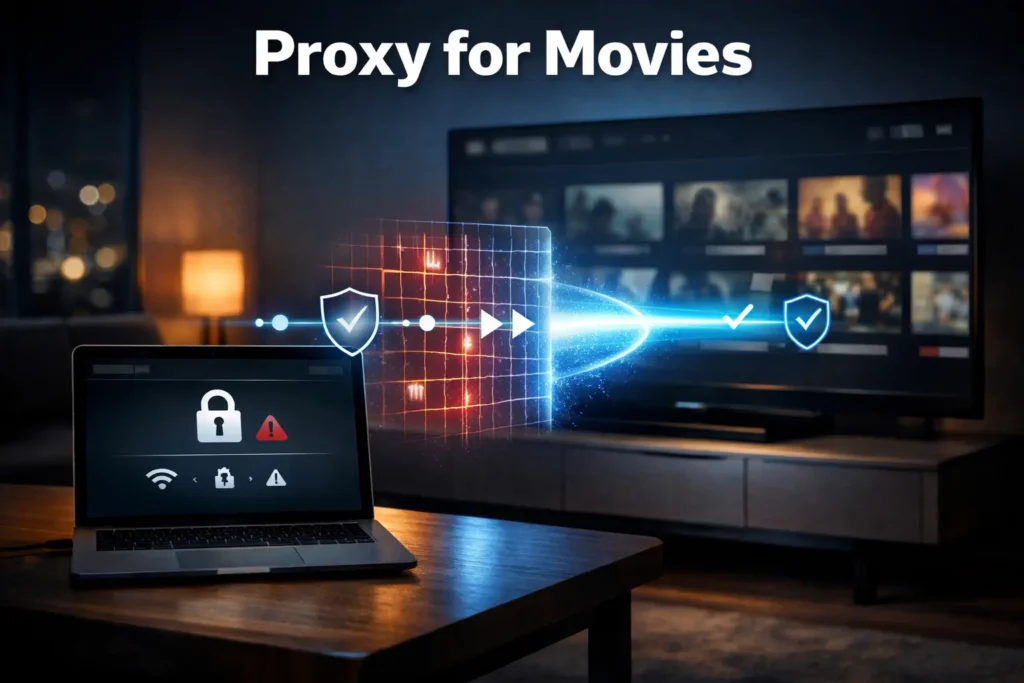
This is where the idea of using a proxy for movies comes up, to route your connection through a different server so the streaming platform thinks you’re somewhere else, or so your local network can’t see which domains you’re visiting.
But a quick search for “proxy for movies” is a minefield of sketchy free proxy websites, outdated tutorials, and advice that ranges from technically wrong to actively dangerous for your privacy.
We’re going to walk through how proxies actually work for streaming, what makes a proxy reliable for this use case, why free proxy websites are almost always a trap, and how to set this up correctly without turning your movie night into a troubleshooting session.
Why People Actually Need a Proxy for Movies
Table of Contents
ToggleThe reasons someone reaches for a proxy service fall into three main categories.
Geo-restrictions on paid content you already own
Streaming platforms license content by region.
You might have a Netflix subscription that works perfectly at home, but the moment you cross a border or connect from a different country, half your library disappears.
You’re a paying customer who happens to be in the wrong ZIP code, and the licensing agreements don’t care about your travel plans.
The same thing happens with live sports. You pay for a season pass, then discover the game you want to watch is blacked out in your current region due to broadcasting rights.
Network restrictions that block streaming
University dorms, corporate offices, hotel Wi-Fi, and even some ISPs block access to streaming domains.
Sometimes this is a bandwidth management decision.
Sometimes it’s an overly aggressive content filter that lumps Netflix in with non-work websites.
And sometimes it’s just inexplicably broken routing that makes certain platforms time out or buffer endlessly.
You’re trying to access normal websites that someone else has decided to restrict, often for reasons that don’t apply to you.
Privacy concerns on shared or untrusted networks
Public Wi-Fi at cafes, airports, and hotels is notoriously insecure.
Even on your home network, your ISP can see every domain you visit and may log or throttle certain types of traffic.
Using a proxy means your local network and ISP only see encrypted traffic to the proxy server.
They can’t see that you’re watching HBO, or visiting a specific news site, or browsing anything else.
For people in regions with aggressive surveillance or ISPs that sell browsing data, this privacy layer matters.
Thousands of proxy users are working professionals, expats, students, and travelers who just want their paid streaming services to work reliably from wherever they happen to be.
What Actually Happens When You Use a Proxy for Movies
A proxy sits between your device and the streaming platform.
Instead of your connection going directly from your laptop to Netflix’s servers, it goes through an intermediate server first.
The streaming platform sees the request coming from the proxy’s IP address and location, not yours.
If the proxy is located in a region where that content is licensed, the platform serves it up.
If your local network is inspecting or blocking traffic, it only sees an encrypted connection to the proxy server and has no visibility into which specific streaming domain you’re accessing.
The three main proxy types and how they differ
A web proxy runs in your browser as a website.
You visit the proxy site, type in the streaming URL, and it loads the content inside the proxy’s interface.
These are almost universally terrible for streaming. They’re slow, they break video players, they inject ads, and most free ones log everything you do.
A browser-level proxy extension installs in Chrome or Firefox and routes traffic from that specific browser through the proxy.
This works better than web proxies but still has limitations. Browser fingerprinting can leak your real location, and some streaming platforms detect and block known proxy extensions.
A system-level proxy configures your entire operating system or device to route all internet traffic through the proxy server.
This is the most reliable approach for streaming because it covers all apps, doesn’t leak location data through browser quirks, and looks like normal traffic to the streaming platform.
At the network layer, the streaming platform performs geolocation checks against your IP address and sometimes does a deeper inspection of connection metadata to detect proxy use.
Residential proxies pass these checks more reliably than datacenter IPs because they’re actual ISP-assigned addresses that look identical to any other home user’s connection.
Why Free Proxy Websites for Movies Are Usually a Bad Bet
Running proxy infrastructure costs real money: server capacity, bandwidth, IP address leases, and maintenance.
If a service is free, they’re monetizing you somehow, and that monetization is rarely in your interest.
The actual risks with free proxy services
Free proxy sites inject ads into the video stream or wrap the player in their own advertising frames.
This breaks the streaming platform’s interface and often causes playback to fail entirely.
Some inject tracking scripts that log every URL you visit through their proxy and sell that data to advertisers or worse.
More aggressive ones inject malware, cryptominers, or phishing attempts.
You’re routing all your traffic through a server operated by someone with no accountability, no terms of service worth the electrons they’re printed on, and no business model beyond exploiting free users.
Performance problems that make streaming impossible
Free proxies are chronically overloaded because they’re serving thousands of users on minimal infrastructure.
You’ll get buffering, quality drops, connection timeouts, and CAPTCHAs on every page load because the IP is shared across so many users that platforms flag it as suspicious.
Streaming platforms actively maintain blocklists of known free proxy IPs.
You might get 30 seconds into a show before it cuts out with an error message about proxy or VPN use detected.
The actual success rate is under 15% for Netflix and even lower for Disney+ and HBO.
The performance gap compared to paid residential proxies
A proper residential proxy network uses real ISP-assigned IP addresses that aren’t flagged or overloaded.
KocerRoxy maintains residential proxy pools specifically for streaming reliability. These IPs pass platform checks, maintain consistent connection speeds, and don’t trigger rate limits or CAPTCHAs.
The difference in user experience is night and day.
Paid proxies for movies work reliably because the infrastructure is sized for actual traffic, the IPs aren’t burnt from abuse, and there’s a support team available 24/7 when something breaks.
What Makes a Proxy Service Actually Work for Streaming
Not all paid proxies are created equal, and buying any random proxy won’t solve your streaming problems.
IP reputation and platform detection
Streaming platforms maintain sophisticated detection systems.
They look at IP reputation. Has this address been associated with bot traffic, scraping, or fraud?
They check for datacenter ranges. IPs from AWS, Azure, or DigitalOcean get flagged immediately because they’re obviously not home users.
They analyze connection patterns. Are 50 people accessing accounts simultaneously from the same /24 subnet?
Residential proxies solve this because they’re real consumer ISP addresses that streaming platforms have no reason to block.
Geographic coverage that matches your use case
If you need residential proxies for Netflix in the US, you need US residential IPs from residential ISPs.
If you’re watching BBC iPlayer, you need UK IPs from BT, Sky, or Virgin Media networks.
The proxy needs clean IPs in the specific regions you care about, not just random residential addresses from wherever was cheapest to source.
Connection stability and bandwidth
Streaming 4K video requires a sustained throughput of 25 Mbps or more.
Any packet loss or jitter causes buffering.
The proxy network needs enough capacity that you’re not competing with hundreds of other users for bandwidth on the same exit node.
Session persistence matters too. If the proxy rotates your IP mid-stream, the platform may detect it as suspicious behavior and kill your session.
Actual support when things break
Streaming platforms update their detection systems constantly.
An IP range that worked yesterday might get flagged today.
You need a provider with monitoring in place to detect when IPs get burnt and rotate in fresh ones, and support staff who understand streaming use cases enough to troubleshoot “Netflix says I’m using a proxy” errors.
The KocerRoxy team maintains dedicated residential proxy pools with 24/7 monitoring specifically because streaming platforms are a moving target and users need help in real time, not ticket responses three days later.
Setting Up a Proxy for Movies: The Practical Steps
Assuming you’ve chosen a proxy service, the setup process is straightforward but varies by device and proxy type.
System-level proxy configuration
On Windows, macOS, and Linux, you can configure a system-wide proxy through network settings.
This routes all traffic from all apps through the proxy, which is ideal for streaming because dedicated apps like Netflix or Disney+ will use the proxy automatically.
You enter the proxy server address, port, and authentication credentials provided by your proxy service.
The streaming platform sees all traffic coming from the proxy IP and treats it as a normal home connection.
Browser-level setup for web streaming
If you only stream through a web browser and don’t want to route all system traffic through a proxy, browser extensions work.
Chrome and Firefox both support proxy extensions that route traffic from that browser only.
Configure the extension with your proxy details, and any streaming you do in browser tabs will use the proxy while the rest of your system connects normally.
This is less reliable than system-level proxies because streaming platforms can sometimes detect the browser environment as inconsistent with the IP geolocation, but it’s simpler for quick access.
Dealing with authentication and connection errors
Most paid proxy services use username/password authentication or IP whitelisting.
If you’re getting proxy authentication required errors, double-check the credentials and make sure you’ve whitelisted your current IP with the provider.
If the connection times out entirely, the proxy port might be blocked by your local firewall or network.
Try a different port or contact support to see if the provider offers alternative connection methods.
If you connect successfully but the streaming platform immediately says proxy or VPN detected, the IP you’re using is flagged.
Contact your provider for a fresh IP from their residential pool.
Testing that your setup actually works
Before you try to stream, verify your connection by visiting a geolocation checker like What Is My IP Address.
It should show the proxy IP and location, not your real one.
Then test with a simple streaming platform. YouTube usually works through any proxy as a connectivity check.
Finally, try your actual target platform with something you know is geo-restricted or blocked.
If it loads and plays smoothly, you’re good.
If you get an error message, screenshot it and send it to your proxy provider’s support with details about which platform and region you’re trying to access.
Common Problems and How to Fix Them
Even with a good proxy service, you’ll occasionally hit issues because streaming platforms are actively trying to detect and block proxy use.
The “we detected a proxy” error message
Streaming platforms got smart about detection around 2016 and now actively block IPs they identify as proxies or VPNs.
If you get this error, the specific IP you’re using has been flagged.
The fix is to get a new IP from your provider’s residential pool.
Most providers can issue a fresh IP on request, or you can disconnect and reconnect to rotate automatically if the service supports it.
Don’t waste time trying different streaming quality settings or clearing cookies.
It’s the IP that’s burnt, not your browser state.
Constant CAPTCHAs or rate limiting
If you’re getting CAPTCHA challenges on every page load or the platform is rate-limiting your requests with 429 errors, the IP is shared across too many users and has triggered anti-bot systems.
Residential proxies should avoid this, but datacenter proxies hit it constantly.
Switch to a dedicated residential IP if possible, or contact your provider for a less-abused IP range.
Buffering and quality drops during streaming
If the video keeps buffering despite a fast local internet connection, the bottleneck is the proxy server or the route between you and the proxy.
Try connecting to a proxy server physically closer to your actual location to reduce latency.
Check with your provider if they have higher-bandwidth residential IPs available.
Some providers tier residential proxies by speed, and streaming needs the faster tier.
Lower your streaming quality settings as a temporary fix while you sort out the bandwidth issue.
Platform asking for suspicious login verification
Some platforms get paranoid when your account suddenly appears to be logging in from a different country.
They’ll ask for email verification, text message codes, or security questions.
This is normal the first time you connect through a proxy in a new region.
Complete the verification steps, and the platform will usually remember that device and location combination going forward.
If it asks for verification on every single login, you’re rotating IPs too frequently and the platform sees each connection as a new suspicious location.
Stick with the same proxy IP for a given streaming session.
The Actual Use Cases Where Proxies Make Sense
We’re not going to pretend proxies are necessary for most people.
If you’re at home, in the region where your content is licensed, on a network that doesn’t block streaming, you don’t need a proxy.
But there are real scenarios where they solve actual problems.
Business travel and remote work abroad
Expats and digital nomads who maintain subscriptions to home-region streaming services.
Business travelers in hotels where the network blocks streaming domains or throttles video bandwidth.
Remote workers whose company VPN blocks certain services and who want access during off-hours on their own devices.
Educational and workplace network restrictions
Students in dorms where IT has blocked streaming to manage bandwidth, even during evenings when it wouldn’t matter.
Employees on corporate networks that block all non-work sites but who want to watch during lunch using their own paid subscriptions.
Privacy-first browsing on untrusted networks
Anyone using public Wi-Fi who wants their traffic encrypted end-to-end and doesn’t want the coffee shop or airport seeing which domains they visit.
Users whose ISP has a history of logging browsing data or throttling streaming traffic.
People in regions where network-level surveillance is aggressive and they want a basic privacy layer.
You’re accessing content you’ve paid for, or you’re exercising basic privacy rights, and a proxy removes the technical barrier.
FAQs About Proxies for Movies
Q1. What is the best proxy for movies?
Residential proxies are the most reliable for streaming because they use real ISP-assigned IP addresses that platforms don’t flag as suspicious.
Datacenter proxies work for some use cases but get blocked quickly by Netflix, Disney+, and other platforms with sophisticated detection.
The choice between datacenter or residential proxies depends on which platforms you need to access and from which regions, but residential proxies with good IP reputation consistently outperform other types.
Q2. Can I use a free proxy website for movies?
Technically yes, but it’s a miserable experience. Free proxy websites are slow, inject ads, break video players, and often get blocked by streaming platforms within minutes.
The IP addresses they use are shared across thousands of users and flagged as suspicious by most platforms.
More importantly, free proxies have no incentive to protect your privacy and often log or sell your browsing data.
Q3. Is using a proxy for movies legal?
Using a proxy to access streaming services you’ve legitimately paid for is legal in most jurisdictions.
You’re not circumventing DRM or downloading copyrighted content without permission.
You’re changing your network route to access content your subscription already entitles you to.
Streaming platforms may have terms of service that prohibit proxy use, and if you violate those terms they could terminate your account, but that’s a contract issue, not a legal one.
Using a proxy to download or access pirated content is obviously illegal and not something we support or recommend. Understanding proxy laws by region is essential for individuals considering their options online. Different countries have varying regulations that can impact how individuals use proxies legally. By familiarizing themselves with these laws, users can make informed decisions and avoid potential legal issues.
Q4. What’s the difference between a proxy site for movies and a proxy app?
A proxy site is a web-based service where you visit a URL, enter the streaming site address, and it loads the content through their browser interface.
These are convenient but limited. They break advanced video players, inject ads, and usually fail on platforms with good detection.
A proxy app typically refers to either a mobile application that routes traffic through a proxy network or desktop software that configures a system-level proxy connection.
Apps are more reliable because they route all traffic from the device through the proxy, not just browser sessions, which means fewer detection issues.
Q5. Do proxy servers work for movie downloads?
If by download you mean downloading episodes from a streaming platform’s official app for offline viewing, yes, a proxy can help if the content is geo-restricted.
The proxy makes it appear you’re in the correct region, and the app downloads as normal.
Q6. Why does Netflix detect my proxy but not other streaming platforms?
Netflix invested heavily in proxy and VPN detection starting around 2016 due to licensing pressure from content owners.
They maintain extensive blocklists of known proxy and datacenter IP ranges and use sophisticated heuristics to detect suspicious connection patterns.
Other platforms have varying levels of detection. Disney+ and HBO Max have good systems, Hulu is moderately strict, and smaller platforms often don’t bother.
Q7. Can my ISP or network admin see I’m using a proxy?
They can see that you’re connecting to a proxy server, but they cannot see the actual content or specific domains you’re accessing through the proxy.
Network administrators can detect that you’re using a proxy by seeing traffic patterns that route through an external server, and some networks actively block known proxy servers.
Q8. How do I know if my proxy is actually working for streaming?
Visit a geolocation checker while connected through the proxy. It should show the proxy’s IP and location, not your real one.
Then try accessing geo-restricted content that you know is blocked from your actual location. If it loads and plays smoothly without errors about proxy or VPN detection, the proxy is working.
If you get blocking messages or constant buffering, either the IP is flagged or the proxy doesn’t have enough bandwidth for streaming.
How useful was this post?
Click on a star to rate it!
Average rating 4 / 5. Vote count: 1
No votes so far! Be the first to rate this post.
Tell Us More!
Let us improve this post!
Tell us how we can improve this post?
