You’ve probably seen the ads. “Free proxy browser! Anonymous! Unlimited!”
Sounds great until your scraper gets blocked at 3 AM, your accounts get flagged, or you realize that a free tool has been logging every request you’ve made for the past six months.
We’ve all seen the promise of a proxy browser free download or some magical online proxy browser that solves all your problems rarely ends well.
Not because proxy browsing is inherently broken, but because the economics of free proxy services guarantee you’re getting something you didn’t bargain for.
Let’s talk about what proxy browsers actually are, how they work, and more importantly, where the real risks sit when you’re choosing between a free proxy browser app and a proper paid proxy network.
What Is a Proxy Browser and How Does It Work
Table of Contents
ToggleA proxy browser is a web browser configured to route your traffic through a proxy server before it reaches the internet.
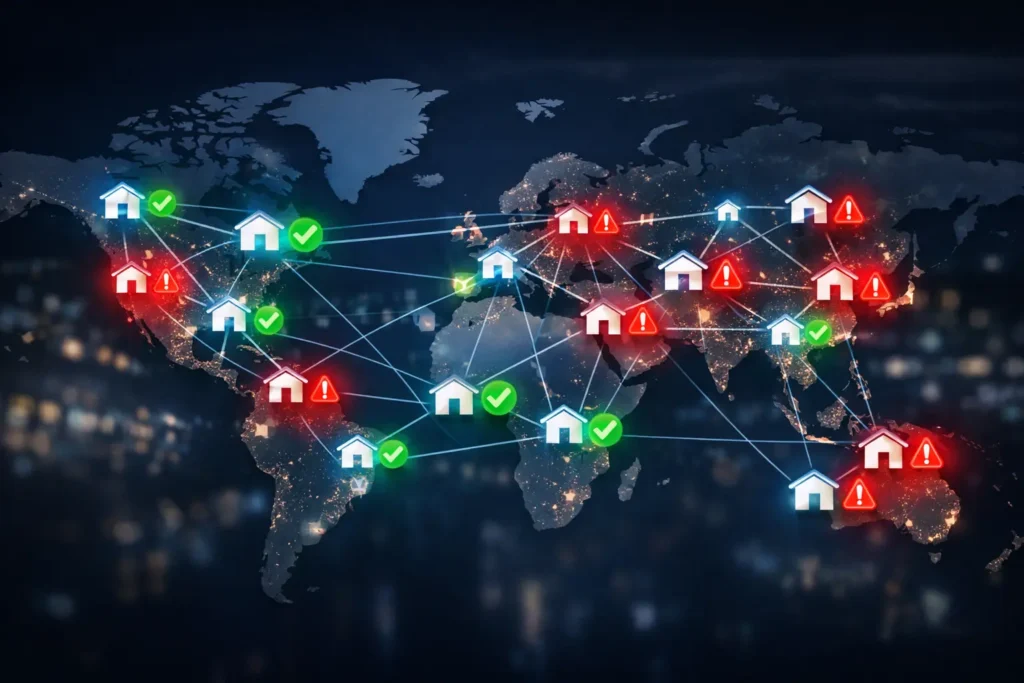
Instead of your requests going directly from your IP address to the target website, they take a detour through an intermediary server that masks your real location and identity.
Some proxy browsers are standalone applications built specifically for this purpose.
Others are just regular browsers like Chrome or Opera with proxy settings configured at the browser level.
You configure your browser to send all HTTP/HTTPS traffic through a specific proxy server address and port.
The proxy server then forwards your requests to the destination website, receives the response, and passes it back to you.
The website sees the proxy’s IP address, not yours.
This is useful for bypassing geographic restrictions, testing how your website appears from different locations, scraping data without getting your main IP banned, managing multiple accounts, or just maintaining basic privacy while browsing.
The Real Cost of Free Proxy Browsers
Free proxy browsers and free proxy services have to make money somehow.
Hosting proxy servers costs real money: bandwidth, IP addresses, infrastructure, and maintenance.
When someone offers you a free proxy browser or an anonymous proxy browser with no obvious business model, you should ask yourself what they’re actually selling.
It’s probably your data, your privacy, or your bandwidth.
Security Risks That Free Proxy Services Won’t Tell You About
The most common monetization strategy for free proxies is logging.
They capture your browsing data, your session information, and potentially even your login credentials if you’re not using HTTPS exclusively.
Then they sell that data to advertisers, marketers, or whoever wants to pay for it.
Some free proxy browsers go further and inject ads into the pages you’re viewing.
You’re browsing what looks like a normal website, but suddenly, there are additional banner ads that weren’t there when you visited without the proxy.
That’s the proxy browser modifying HTTP responses in transit.
The really sketchy ones will strip HTTPS connections down to HTTP to make this easier, which completely defeats the purpose of secure browsing.
Even if you trust that a particular free proxy browser isn’t actively malicious, you have no way to verify it.
No transparency, no audits, no accountability.
When something goes wrong, there’s no support team to contact.
You’re just another user on a free service that has no incentive to care about your problems.
The Logging Problem Nobody Wants to Discuss
Most free proxy services claim they don’t log your activity.
This claim is basically worthless without independent verification, which free services never provide.
They’re logging.
They have to log, at minimum, enough information to manage their infrastructure, handle abuse complaints, and prevent their servers from being used for illegal activity.
The question isn’t whether they log.
The question is what they log, how long they keep it, and who has access to it.
With free proxy browsers, you’ll never know the answer.
Paid proxy networks like the ones we run at KocerRoxy can make verifiable commitments about logging because we have a business model that doesn’t depend on harvesting your data.
We sell access to clean, reliable proxy infrastructure.
That’s the product.
Your browsing data isn’t part of the transaction.
Speed and Reliability Issues You’ll Hit Immediately
Free proxy browsers are slow because they’re overcrowded.
When you’re sharing proxy servers with thousands of other users who are all competing for the same bandwidth, performance falls off a cliff.
Your web scraper, which should complete in ten minutes, takes two hours.
Your browser hangs waiting for pages to load.
Connections time out randomly.
This is what happens every single time someone tries to run serious workloads through free proxy infrastructure.
The proxies themselves might be geographically distant from you, adding latency.
They might be running on underpowered hardware that can’t handle the load.
They might be getting rate-limited or blocked by target websites because too many sketchy users have burned those IP addresses.
You get what you pay for, and with free proxies, you’re paying with your time and your data instead of money.
IP Quality and the Blocklist Problem
The IP addresses used by free proxy browsers are almost universally terrible.
They’re on every blocklist.
They’re flagged as datacenter IPs or known proxies by every major service.
If you’re trying to access a streaming service, do SEO research, manage social media accounts, or scrape data from any site with halfway decent bot detection, you’re going to hit walls immediately.
The IPs from free proxy browsers are burned.
They’ve been used and abused by so many sketchy actors that legitimate websites just block them by default.
This is why you’ll see a proxy browser unblock websites work for random blogs but fail completely on anything important.
Paid proxy networks maintain IP reputation.
We rotate IPs, we monitor for blocklisting, we remove problematic addresses from our pools, and we offer residential proxies that look like regular home internet connections.
That’s what you’re actually paying for: IPs that work, at scale, reliably.
When You Outgrow Free Proxy Browsers
You know you’ve outgrown free proxy browsers when you start losing more time to troubleshooting than you would spend just paying for decent infrastructure.
If you’re running scrapers that need to work consistently, managing multiple accounts that can’t share IPs, testing from specific geographic locations, or doing anything at a commercial scale, free proxies will waste your time.
You’re outgrowing free tools when you need sticky sessions, where the same IP address is maintained across multiple requests so you can log into an account and maintain state.
Also, you’re outgrowing free services when you need IP rotation that you can control, not random disconnections that break your workflow.
You’re outgrowing them when you need residential IPs instead of datacenter IPs, because the sites you’re accessing have sophisticated bot detection.
Most importantly, you’re outgrowing free proxy browsers when you need support.
When something breaks at 2 AM, and you’re on a deadline, a free tool gives you nothing.
The KocerRoxy team provides 24/7 support because we understand that proxy infrastructure is critical infrastructure for our users.
Setting Up Proper Proxy Infrastructure
Moving from a free proxy browser to a proper proxy network isn’t complicated, but it does require thinking about your use case differently.
Instead of downloading a proxy browser app and hoping it works, you’re configuring proxy settings at the application level or using an API to manage proxy rotation programmatically.
For basic browsing, you can still use Chrome or Opera with web browser proxy settings, but you’re pointing them at a reliable paid proxy service instead of whatever free server you found.
The configuration process is identical to what we described earlier, except now you’re entering credentials and a proxy address that actually works.
For more advanced use cases like web scraping with proxies, you’re typically not using a browser at all.
You’re using tools like Python’s requests library, Selenium, Puppeteer, or specialized scraping frameworks, and you’re configuring them to route traffic through your proxy network.
Paid proxy services provide proper API access, detailed documentation, and the ability to rotate through thousands or millions of IP addresses programmatically.
You can specify proxy browser USA locations, proxy browser Japan locations, or any other geography you need.
You get session control, rotation control, and the confidence that when you send a request, it’s actually going to complete without the proxy server randomly disconnecting or logging everything you do.
This is what professional-grade proxy infrastructure looks like.
It’s just reliable networking with proper IP management and actual customer support.
FAQs About Proxy Browser
Q1. What are the best proxy browsers for secure and anonymous browsing?
The best proxy browser for secure browsing isn’t actually a specialized browser at all.
It’s any modern browser like Chrome, Firefox, or Opera configured to use a reputable paid proxy service with residential IPs and verifiable privacy policies.
The browser itself is less important than the quality of the proxy network you’re routing through.
The KocerRoxy team can help you design a proxy setup that matches your actual security requirements instead of just marketing claims.
Q2. How do I set up a proxy browser on my Windows PC?
Setting up proxy browsing on Windows works the same way regardless of which browser you’re using, because most browsers inherit their proxy settings from Windows system settings.
Open the Start menu and search for Internet Options or go to Control Panel and find it there.
Click on the Connections tab, then click LAN settings near the bottom.
Check the box that says Use a proxy server for your LAN and enter the proxy server address and port number provided by your proxy service.
If your proxy requires authentication, which most paid services do, you’ll need to configure that at the browser level because Windows system settings don’t handle proxy authentication.
For advanced users, consider using proxy management software or configuring proxies at the application level instead of system-wide, which gives you more control over which applications route through the proxy.
Q3. Which proxy browsers offer the fastest connection speeds?
Connection speed isn’t really a property of the browser itself.
It’s a property of the proxy service you’re connecting to.
Any browser can be fast if you’re using a well-provisioned proxy network with servers geographically close to you and adequate bandwidth to handle the load.
Free proxy browsers are universally slow because they’re overcrowded and under-resourced.
Paid proxy services like KocerRoxy maintain fast connection speeds by limiting the number of concurrent users per server, using high-bandwidth infrastructure, and strategically locating servers near major internet exchange points.
Q4. Can I use a proxy browser to access region-locked websites in the US?
Yes, accessing region-locked content is one of the legitimate use cases for proxy browsing.
If you want to access US-based websites that are blocked or restricted outside the United States, you configure your browser to route traffic through a proxy server with a US IP address.
The target website sees the request coming from the US and grants access accordingly.
With KocerRoxy, you get access to residential proxy pools that include US-based IP addresses from real ISPs, which dramatically improves your success rate for accessing region-locked content.
Q5. Can I use a proxy browser on mobile devices like iOS or Android?
Mobile proxy browsing works, but the setup is more limited than on a desktop. Mobile operating systems handle proxy configuration differently.
On iOS, you can configure proxy settings by going to Settings and selecting Wi-Fi. Then tap the information icon next to your connected network, and scroll down to HTTP Proxy. There you can enter manual proxy details.
This configures proxies for all apps using that Wi-Fi connection, not just the browser.
Android has similar settings under Wi-Fi configuration, though the exact location varies by device manufacturer and Android version.
The main limitation on mobile is that these configurations are network-specific. Therefore, you have to reconfigure every time you switch Wi-Fi networks.
How useful was this post?
Click on a star to rate it!
Average rating 0 / 5. Vote count: 0
No votes so far! Be the first to rate this post.
Tell Us More!
Let us improve this post!
Tell us how we can improve this post?