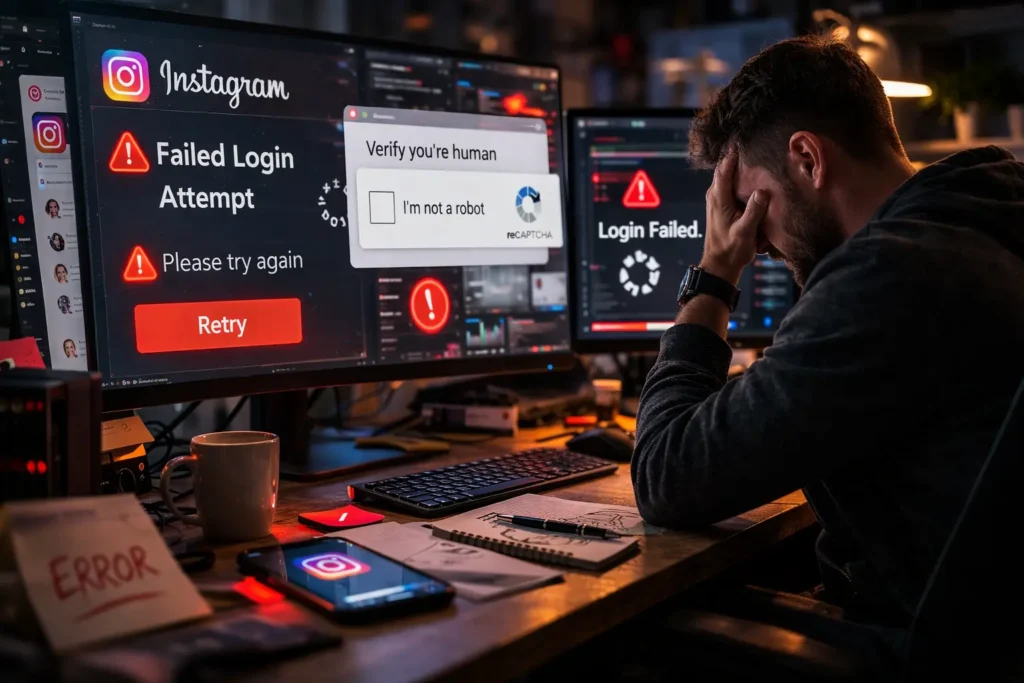
If you manage Instagram accounts at any meaningful scale, you’ve probably already met the Instagram IP ban up close.
Maybe it was a wall of failed logins across a whole account batch at 2 am. Maybe it was a client campaign that quietly stopped working and took you three hours to diagnose.
Either way, the result is the same: accounts stalled, operations disrupted, and someone asking uncomfortable questions about why the whole thing went sideways.
This guide is for people who run Instagram operations, such as social media agencies, growth teams, outreach specialists, and multi-account managers, who use proxies as part of a workflow.
We’re here to walk through what an Instagram IP ban actually is, why it happens, how to tell the difference between an IP problem and an account problem, and what to do about it on both fronts.
What an Instagram IP Ban Actually Looks Like
Table of Contents
ToggleThe tricky part about an Instagram IP ban is that it doesn’t always announce itself clearly. Instagram rarely sends a notification that says “your IP has been banned.”
Instead, you get a cascade of symptoms that look a lot like other problems. This is exactly why so many people waste time troubleshooting the wrong thing.
The most common signal is a sudden spike in login failures or account action blocks across multiple accounts that share the same IP.
If a single account gets blocked, that’s usually an account-level issue. If five or ten accounts that all route through the same proxy hit walls at the same time, the IP is almost certainly involved.
Another common symptom is a CAPTCHA gauntlet that never ends. You complete one, get hit with another, and accounts that previously worked fine start requiring manual verification on every login attempt. Instagram’s systems use this as a soft throttle before escalating to a harder block.
Some teams notice it as a more subtle degradation: action limits kicking in immediately after login, features like following, liking, or DM-ing becoming restricted much faster than usual, or accounts flagged for unusual activity even though nothing about the behavior changed.
One of the more recognizable pre-ban signals is Instagram’s checkpoint flow, the screens that appear mid-session asking you to verify your identity via phone number, email confirmation, or a prompt to confirm “was this you?” on a recent login.
A checkpoint appearing on a single account is usually an account-level trust issue. When checkpoints start appearing across multiple accounts simultaneously, all running through the same IP, the IP is almost certainly the trigger.
Instagram IP Ban Reasons: Why Instagram Pulls the Trigger
Understanding why Instagram issues an IP ban is the first step toward not getting another one. The platform’s detection systems are substantially more sophisticated than most people running proxy operations expect. And the triggers are rarely about a single action in isolation.
Velocity and Behavioral Anomalies
Instagram’s algorithms are calibrated around what human behavior looks like at scale. A real user logs in once, scrolls for a while, interacts with a handful of posts, maybe follows a few accounts, and moves on.
When a single IP is responsible for dozens of login attempts, hundreds of follow/unfollow actions, or thousands of API calls in a short window, that pattern stands out immediately.
This is the most common cause of an IP ban on Instagram, and it’s also the most preventable. High-velocity automation run through shared or poorly rotated proxies puts your entire operation at risk because the behavioral fingerprint is obvious.
Instagram doesn’t need to know exactly what you’re doing. It just needs to see that whatever you’re doing doesn’t look like a person.
Datacenter Proxy Detection
Using datacenter proxies for Instagram is a calculated risk that many teams take, and many teams pay for.
Instagram actively maintains blocklists of known datacenter IP ranges, and those lists get updated regularly. An IP that worked fine last week may be on a block list this week because another user on that subnet got flagged for something entirely separate from your operation.
This is one of the more frustrating aspects of datacenter proxies for Instagram: the contamination problem.
When you share IP space with other users, even on a so-called dedicated datacenter proxy, you are sharing the reputational history of that IP. If previous tenants used it aggressively, you inherit that baggage.
Simultaneous Logins and IP Consistency
Instagram’s session management system builds an expectation of where a given account logs in from. An account that has always logged in from a Chicago residential IP suddenly logging in from a Frankfurt datacenter IP will trigger a trust check almost every time.
Running too many accounts through a single IP compounds this problem. Real users don’t log into fifteen different Instagram accounts from the same IP address.
When that pattern appears, Instagram treats the IP as a likely automation node and responds accordingly. This means verification challenges, action blocks, or an outright IP block.
Reported or Flagged Behavior
If accounts connected to your IP are generating user reports for spam, aggressive follow activity, mass DMs, or scraping public profiles at an obvious scale, those signals aggregate at the IP level.
Instagram treats an IP responsible for a cluster of flagged accounts as a systemic problem, not an individual one.
Prior IP History
This is the scenario that catches people off guard most often. You buy a proxy, start an operation, and immediately hit problems. Not because of anything you did, but because the IP was already compromised before you touched it.
Poor proxy sourcing is an operational risk. It’s one of the reasons why the source of your proxies matters as much as how you use them.
IP Ban vs. Account Ban: Diagnosing the Actual Problem
Before you do anything else, you need to know which kind of problem you’re actually dealing with. Trying to fix an account ban by rotating IPs is a waste of time. Trying to fix an IP ban by warming up accounts on the same proxy is equally pointless.
How to Run an Instagram IP Block Check
The fastest way to determine whether you’re dealing with an Instagram IP block or an account-specific issue is to isolate the variable.
Take an account that’s having problems and try accessing it through a completely different IP, ideally a residential proxy from a different provider, or even a mobile connection you know is clean.
If the account works normally on the new IP, the problem is with the original IP, not the account. If the account still fails on a clean IP, you’re looking at an account-level action block or ban.
You can also run the test in reverse. Take a known-good account that hasn’t been flagged and try accessing it through the suspect IP. If the good account immediately hits CAPTCHA walls or login blocks on that IP, the IP is compromised.
Beyond live testing, running the suspect IP through a reputation checking tool gives you a more complete picture of what Instagram’s systems may already know about it. Tools like IPQS, Scamalytics, and IPinfo will show you fraud scores, abuse history, whether the IP is flagged as a known proxy or VPN, and whether it appears on major blocklists.
An IP that scores poorly on any of these is likely already flagged in Instagram’s systems long before you started seeing symptoms. This check takes about two minutes and is a worthwhile first step before you commit time to a more involved diagnosis.
For teams running larger operations, a methodical IP block check involves testing a small set of accounts across your proxy pool on a rotating basis to identify which specific IPs are generating blocks.
This kind of baseline monitoring is the operational hygiene equivalent of a smoke detector. You want to know about the problem before your whole batch is down.
Reading the Error Signals
Different error types tell different stories. HTTP 429 responses indicate rate limiting, which is a temporary throttle applied at the IP level and usually resolves within 24–72 hours once the offending traffic stops. This is Instagram saying “slow down” rather than “you’re banned.”
HTTP 403 responses on connection attempts are more serious and often indicate that the IP is on an active block list. “Action blocked” messages within the app typically point to account-level restrictions rather than IP-level ones, though a heavily flagged IP can trigger these on contact.
“We detected unusual activity” prompts with phone verification requirements can be either IP or account-triggered. If this appears immediately on login before any actions have been taken, the IP is the more likely culprit.
Persistent login failures across multiple accounts that all share the same proxy endpoint, with no corresponding failures on a clean IP, is the clearest possible signal of an Instagram IP block.
Before You Do Anything, Confirm the Scope
You’ve identified that an IP is involved. Before you start rotating proxies and moving accounts, spend ten minutes establishing how wide the problem actually is.
A targeted disruption, like one IP affecting a handful of accounts, calls for a different response than a systemic one where multiple IPs across your pool are degrading at the same time.
Work through your active proxy IPs methodically. Test each one against Instagram with a low-stakes request: a simple login on a test account, not a high-value client account.
Flag every IP that returns a 429, a checkpoint, or a failed connection. Separate those from the IPs that pass clean.
This inventory step takes fifteen to twenty minutes but saves you from the alternative of rotating accounts to other proxies and triggering another cycle of blocks almost immediately.
Once you know exactly which IPs are affected and which are healthy, the recovery steps become straightforward rather than reactive.
What to Do After an Instagram IP Ban
Once you’ve confirmed you’re dealing with an IP ban from Instagram rather than an account issue, and you’ve mapped out which IPs in your pool are affected, the response has two layers: getting your operation back online in the short term, and making sure you don’t land in the same position again.
Here’s the recovery sequence in order:
- Step 1 — Pull all affected IPs from rotation immediately. Stop routing any Instagram traffic through flagged IPs. Continued traffic through a banned IP generates additional negative signals and achieves nothing operationally.
- Step 2 — Run reputation checks on your replacement IPs before using them. Before moving accounts to new proxies, run those IPs through IPQS, Scamalytics, or a similar tool to confirm they’re clean. Rotating from one compromised IP to another just restarts the clock on the same problem.
- Step 3 — Move accounts to verified clean IPs and log in manually first. Don’t push automation through a fresh IP immediately. Log into each account manually on the new IP, let the session settle, and leave the account idle for at least a few hours before reintroducing any activity.
- Step 4 — Re-warm affected accounts conservatively over 48–72 hours. Even if the account itself isn’t banned, it may have accumulated trust signals that put it in a borderline state. Start with passive activity like browsing and reading before introducing follows, likes, DMs, or any action your automation normally handles. The goal is to let Instagram’s systems register the account as active and legitimate on the new IP before heavier traffic resumes.
- Step 5 — Audit your IP-to-account assignments before restoring full operations. If you were stacking too many accounts per IP, or mixing workload types through the same proxy endpoints, address that structure before you go back to full capacity.
Rotating to Clean Proxies
The mechanics of rotating are simple. Stop using the flagged IP and move accounts to verified clean ones. What’s less obvious is that the quality of the replacement IPs matters as much as the rotation itself.
At KocerRoxy, we maintain both datacenter and residential proxy pools with regular health monitoring specifically because this is the step where most recovery attempts fail.
Teams rotate off a bad IP onto another bad IP from the same pool, the cycle repeats. A day later, they’re back in the same position, wondering what went wrong.
Checking replacement IPs before you route account traffic through them is the difference between a recovery that holds and one that buys you twelve hours before the next block.
The re-warming period in Step 4 is worth taking seriously even when it’s tempting to skip. The urge to get everything running at full capacity immediately is understandable. But skipping it is one of the most common reasons teams end up cycling through repeated bans within days of recovering from the last one.
Reducing Repeat Instagram IP Blocks With Better Proxy Setup
Getting unblocked is the immediate problem. Not getting blocked again is the actual goal. The difference between operations that run sustainably and operations that cycle through constant disruption usually comes down to a handful of structural decisions made before the problems start.
Residential vs. Datacenter Proxies for Instagram
It depends on what you’re doing and what risk profile you’re comfortable operating under.
Residential proxies use IP addresses assigned to real devices on real internet service providers. From Instagram’s perspective, traffic from a residential IP looks like traffic from a genuine user.
This doesn’t make you invisible because behavioral signals still matter. But it removes one of the most easily detected signals that triggers IP scrutiny in the first place.
Residential proxies are the right choice for account management operations where authenticity of the IP is important: client account management, geo-targeted engagement, operations where account longevity matters, and a ban would be genuinely disruptive.
Datacenter proxies are faster, cheaper, and more scalable. They’re appropriate for tasks where the IP reputation risk is tolerable, and the operation can absorb the occasional block: high-volume scraping of public data, research tasks, or operations where you have enough IP inventory that rotation through blocks doesn’t significantly disrupt throughput.
What datacenter proxies are not well-suited for is sensitive account management on Instagram at any scale, particularly if those accounts have value and longevity requirements.
The detection risk is simply too high for that use case, and the economics of losing established accounts usually don’t favor the cost savings on the proxy side.
Accounts per IP: Getting the Ratio Right
There is no universal rule for how many Instagram accounts should share a single IP. But there are clear thresholds beyond which the risk increases substantially.
As a working framework, one Instagram account per residential IP is the safest configuration for account management. Keeping it to no more than two accounts per IP is a reasonable upper boundary if your proxy budget requires some compromise.
This is obviously expensive at scale, which is why teams with large account portfolios often work with rotating residential proxies rather than static assignments. Each session gets a fresh IP from a pool rather than a permanently assigned address.
For datacenter proxies on lower-sensitivity tasks, ratios of three to five accounts per IP can be workable, provided the traffic patterns are conservative.
Beyond that, the velocity signals become increasingly difficult to manage regardless of how carefully the behavioral settings are tuned.
The key principle is that the IP-to-account ratio is a lever, not a fixed number. Higher ratios require more conservative behavioral settings. Lower ratios give you more headroom for activity.
Teams that run into constant blocking problems are often trying to push high activity levels through high account-per-IP ratios simultaneously. That combination is the most reliable way to generate an Instagram IP ban.
Proxy Consistency and Session Management
Instagram builds a behavioral profile for each account that includes the IPs it has historically accessed from. Frequent, random IP changes create anomalies in that profile that increase the likelihood of verification challenges and blocks.
For account management, sticky sessions where the same account consistently accesses Instagram from the same IP or a small, stable pool of IPs perform better than aggressive rotation.
Rotation is appropriate when you’re doing high-volume tasks that don’t require account continuity. For managing accounts that need to stay healthy over time, consistency is more valuable than variety.
Behavioral Settings and Action Limits
The proxy is a delivery mechanism for traffic. The behavioral profile of that traffic is what actually determines whether Instagram escalates from scrutiny to a block.
Even a perfectly clean residential IP will eventually generate an IP ban if the traffic running through it looks like automation.
Actions that happen too fast, too consistently, and in patterns that don’t match natural human variability are the trigger. The proxy quality just determines how much of a window you have before Instagram’s systems catch up.
As a rough working baseline, keeping follow/unfollow actions under 100–150 per day per account, spacing actions at least 30–60 seconds apart with realistic variability, and avoiding perfectly regular scheduling intervals are the kinds of behavioral constraints that meaningfully reduce IP ban frequency.
Slowing down action rates, introducing realistic variability in timing between actions, and avoiding the kind of perfectly regular scheduling that makes automation obvious are all behavioral adjustments that extend the useful life of your proxies significantly.
This isn’t glamorous advice, but it’s the difference between proxy operations that run for months and operations that get cycled every few weeks.
Proxy Source Quality and Pre-Vetting
Residential proxies from different providers have different IP pool quality, different rotation mechanisms, and different levels of IP health monitoring.
A residential proxy from a pool that’s already heavily associated with automation traffic is not going to perform like a residential proxy from a cleaner pool, even though both are technically residential.
Before running sensitive Instagram operations through any new proxy source, run basic IP health checks.
- Test the IP against major blocklists using tools like IPQS or Scamalytics.
- Check the ASN and subnet history.
- Run a small number of test accounts through it for 24–48 hours.
If the test accounts sail through without hitting checkpoints or action blocks, the IP pool is likely healthy enough to scale into.
The KocerRoxy team regularly audits IP pool health across both our residential and datacenter offerings, specifically because this vetting step is something most teams don’t have the tooling or time to do themselves.
Clean IPs at the start of an operation are significantly easier to maintain than trying to recover from contaminated ones mid-campaign.
FAQs About Instagram IP Bans
Q1. Can Instagram block your IP address?
Yes, Instagram can and does block IP addresses. Instagram’s systems monitor traffic patterns at the IP level. When an IP is associated with behavior that triggers their detection systems, such as high-velocity automation, simultaneous multi-account logins, use of flagged datacenter ranges, or clusters of reported accounts, that IP can be flagged and blocked.
The block can range from a temporary throttle with increased CAPTCHA requirements to a harder block that refuses connections from that IP altogether.
Q2. How long does an Instagram IP ban last?
The duration of an Instagram IP ban varies depending on the severity of the trigger. Temporary rate-limit blocks typically resolve within 24–72 hours once the offending traffic stops. Harder bans tied to more serious or repeated violations can persist for one to four weeks or longer.
Bans on IPs with a long history of problematic activity may be essentially permanent, particularly for datacenter IPs that have been flagged across multiple users and campaigns.
Q3. How to lift an Instagram IP ban?
Stop routing Instagram traffic through the banned IP immediately, which removes the active negative signal. For temporary blocks, waiting out the cooldown period on a clean IP is usually sufficient.
Appealing directly to Instagram for IP-level unbanning is not a reliable or documented process. Most teams operating at scale treat a confirmed banned IP as decommissioned rather than recoverable.
Q4. Is an Instagram IP ban permanent?
It can be. Instagram’s block behavior ranges from temporary throttles that clear within hours to persistent bans that effectively make an IP unusable for Instagram operations indefinitely.
Whether a specific ban is permanent depends on the severity of the original trigger, whether the IP has a history of violations, and whether it sits in a range that Instagram treats as already suspicious.
Q5. How to bypass an Instagram IP ban?
Bypassing an Instagram IP ban means routing your traffic through a different IP address that is not subject to the existing block.
The right tool for this is a clean proxy, specifically, a residential proxy for account management operations where IP authenticity matters, or a clean datacenter proxy with a known-good reputation for lower-sensitivity tasks.
How useful was this post?
Click on a star to rate it!
Average rating 0 / 5. Vote count: 0
No votes so far! Be the first to rate this post.
Tell Us More!
Let us improve this post!
Tell us how we can improve this post?