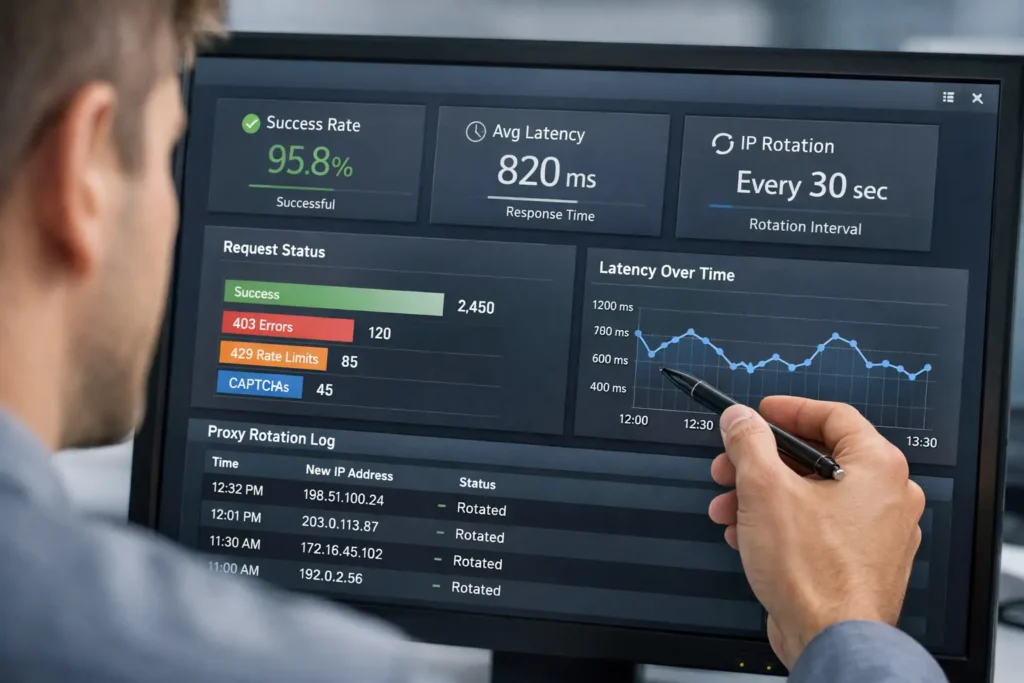
Probability states that you’re familiar with the importance of harvesting data from the internet for myriad reasons. However, full-service web scraping solutions can get quite pricey. Running a prebuilt tool can be more economical, but their budget versions are severely limited. To save the most money possible, you should consider using free libraries to build your own web scraper.
There are a lot of options out there for multiple programming languages. Some are more beginner-friendly than others, particularly Python-based ones. Let’s go over some of the popular ones while covering what language they’re for and a little information about them.
The table below gives you the quick version. After that, we’ll cover the best practices that matter no matter which library you use.
Web Scraping Libraries Comparison
Table of Contents
ToggleBefore choosing a library, it helps to separate simple HTML parsers from full crawling frameworks and browser automation tools. Some libraries are better for beginner projects, while others are better for JavaScript-heavy pages, large crawls, or scraper setups that need proxy rotation.
| Library | Language | Best for | Handles JavaScript? | Built-in crawling? | Proxy support | Learning curve |
|---|---|---|---|---|---|---|
| Scrapy | Python | Large-scale crawling and structured data extraction | No, not by default | Yes | Yes, with configuration or middleware | Medium to high |
| BeautifulSoup | Python | Simple HTML parsing | No | No | Not directly, usually paired with requests | Low |
| Selenium | Python, Java, JavaScript, C#, Ruby | Browser automation and dynamic websites | Yes | No | Yes, through browser/network configuration | Medium |
| Cheerio | JavaScript / Node.js | Fast server-side HTML parsing | No | No | Not directly, usually paired with Axios or another HTTP client | Low |
| Puppeteer | JavaScript / Node.js | Headless Chrome scraping and automation | Yes | No | Yes, through browser launch settings | Medium |
| Playwright | Python, JavaScript, Java, .NET | Modern browser automation across Chromium, Firefox, and WebKit | Yes | No | Yes, through browser/context settings | Medium |
| Crawlee | JavaScript / TypeScript, Python | Crawling with browser automation, retries, and proxy-aware scraping | Yes, depending on crawler type | Yes | Yes | Medium |
| Kimurai / Kimura | Ruby | Ruby-based scraping workflows | Yes, depending on setup | Yes | Yes, with configuration | Medium |
| Goutte | PHP | Simple legacy PHP crawling | No | Basic crawling | Limited, usually through HTTP client configuration | Low |
Once you know which type of library fits your project, the next step is configuring your scraper responsibly so it can collect data reliably without overwhelming the target site.
Best Practices When Web Scraping
Regardless of which language and library you choose to use, there are a few universal rules to follow when setting up your scraper for optimal results:
- Most important of all: use a rotating residential proxy! Ideally, you should go with residential IPs, but a datacenter proxy may be sufficient for your needs.
- Avoid using high-risk or suspicious IP geolocations for your target data.
- Set unique user agents for your requests, or use headless browsers.
- Set a believable native referral source. Just how often do you directly type in the exact sub-domain in your browser to go to an exact part of a website, instead of navigating through the site to get there?
- Set rate limits on your requests, ideally respecting the target site’s robots.txt settings.
- Run your threads asynchronously. A constant stream of requests with the same time gap in between them while running parallel with each other is effortlessly detectable bot activity.
- Avoid using obvious red flag search operators. Making things too precise is not organic traffic.
Also read: Top 5 Best Rotating Residential Proxies
Why Do I Need A Proxy When Web Scraping?
You’re surely familiar with the sheer quantity of anti-bot measures in place across the internet. We’ve all dealt with more than our fair share of annoying CAPTCHAs. A pool of rotating IPs takes care of the majority of the effort in masking the fact that all of your requests are coming from a program instead of a human user.
CAPTCHAs are one of the most common anti-bot measures on the internet, designed to differentiate between human users and automated bots by challenging users with tasks that are easy for humans but difficult for machines.
Source: von Ahn, L., Blum, M., & Langford, J. (2004). Telling humans and computers apart automatically. Communications of the ACM, 47(2), 56-60.
As datacenter proxies are readily detectable and are commonly attributed to botting, residential IPs are the way to go. Residential proxies are much more convincing when you’re trying to resemble organic traffic. This is, of course, what you should be aiming for to get the most reliable web scraping results.
This is where a framework like Crawlee becomes useful. Crawlee does not replace your proxy provider, but it can help connect your scraper with proxy rotation, browser-based crawling, retries, and request handling. That makes it a strong option when your project needs both a scraping framework and a reliable proxy setup instead of a simple one-page parser.
Now, to get to the subject at hand: free libraries to build your own scraper.
Also read: Datacenter Proxies Use Cases
Free Libraries to Build Your Own Scraper
Since we all have different preferences and requirements, it’s pretty hard to pin down exactly what makes a particular library ideal for your use case. What I can do to help, though, is give you a list of options with some information about them so you can make an informed decision.
Without further ado, and in no particular order, let’s begin going through the free libraries to build your own web scraper!
Scrapy
Language: Python
Scrapy is a high-level Python framework for web crawling and web scraping. It is built for projects where you need to crawl multiple pages, follow links, extract structured data, and manage the scraping workflow beyond a single request-and-parse script.
Scrapy is a strong choice when you are building a larger web data collection project, such as monitoring ecommerce product pages, collecting SEO data, tracking public listings, or crawling large groups of URLs on a schedule. Instead of only parsing one page, Scrapy helps you define spiders, follow links, extract fields with selectors, process scraped items, and export the results into usable formats.
One of Scrapy’s biggest advantages is its project structure. You can use spiders to define what pages to crawl, selectors to extract data from HTML or XML, item pipelines to clean, validate, deduplicate, or store scraped data, and feed exports to output results in formats such as JSON, JSON Lines, CSV, or XML.
Scrapy is also useful when performance and control matter. It supports asynchronous crawling, broad crawls, request scheduling, downloader middleware, custom settings, and throttling options. For example, Scrapy’s AutoThrottle extension can automatically adjust crawl speed based on the load of both your scraper and the website you are crawling.
That said, Scrapy is not always the best option for beginners or very small scraping jobs. If you only need to pull a title, table, or product price from one static HTML page, BeautifulSoup may be simpler. If the website depends heavily on JavaScript rendering or browser interactions, Playwright, Puppeteer, Selenium, or Crawlee may be a better fit, unless you are combining Scrapy with a headless browser setup.
Choose Scrapy when your project needs structure, scale, exports, pipelines, crawl rules, throttling, and repeatable data collection. Choose a lighter parser when you only need a quick one-page scrape.
When Should You Use Scrapy?
| Use case | Why Scrapy fits | When to choose another tool |
|---|---|---|
| Large multi-page crawls | Scrapy can follow links, schedule requests, and manage crawl rules. | Use BeautifulSoup or Cheerio for one-page static scraping. |
| Structured data extraction | Selectors, items, and pipelines help organize extracted fields. | Use a browser automation tool if the data only appears after JavaScript rendering. |
| Clean exports | Scrapy can export scraped data into formats like JSON, JSON Lines, CSV, and XML. | Use a simpler parser if you only need a quick local script. |
| Data cleaning and validation | Item pipelines can clean, validate, deduplicate, and store scraped data. | Use a lightweight library if no post-processing is needed. |
| Polite, controlled crawling | AutoThrottle and crawl settings help control request speed and concurrency. | Use Playwright, Puppeteer, or Selenium if browser interaction is the main requirement. |
| Broad crawls | Scrapy is suited for fast broad crawls because of its asynchronous architecture. | Use a more focused scraper if you are collecting from only a few fixed URLs. |
BeautifulSoup
Language: Python
While Scrapy isn’t beginner-friendly, BeautifulSoup most definitely is. When you don’t need the precision and power of Scrapy, BeautifulSoup will provide you with an easy means of parsing HTML.
Similar to Scrapy, BeautifulSoup is thoroughly tested and well-documented after years of use.
Selenium
Language: Python, Java, JavaScript, C#, Ruby, and other supported bindings
Selenium is a browser automation tool, not a lightweight scraping library. It was built primarily for automating web applications for testing, but it can also be useful in scraping workflows where the page needs to behave like it would in a real browser.
Use Selenium when browser behavior matters: clicking buttons, filling forms, moving through multi-step flows, handling login screens, waiting for JavaScript-rendered elements, or testing how a page behaves after user interaction. In these cases, Selenium can drive a real browser through WebDriver and interact with the page more like a user would.
That said, Selenium should not be the default choice for every scraper. If you only need to parse static HTML, a lighter tool like BeautifulSoup or Cheerio is usually simpler and faster. If your main challenge is modern JavaScript rendering, Playwright or Puppeteer may be a better fit for many newer scraping projects because they were built around modern browser automation workflows.
Selenium is a good fit for complex browser interactions, QA-style automation, login flows, and scraping projects where realistic browser behavior is more important than raw speed. For large structured crawls, Scrapy is usually a better starting point. For modern JavaScript-heavy pages, compare Selenium with Playwright or Puppeteer before choosing your stack.
Cheerio
Language: JavaScript (NodeJS)
Cheerio has a similar API to jQuery. If you’re already familiar with jQuery and are looking to parse HTML, you’re all set.
It’s fast, flexible, and a favored library for web scraping with JavaScript.
Puppeteer
Language: JavaScript (NodeJS)
Puppeteer is Google’s headless Chrome API that grants precise control to NodeJS devs. The Google Chrome team is creating and maintaining it in an open-source format.
Like Selenium, it is a go-to for data that is gated behind JavaScript.
Just keep in mind that it can be an absolute resource hog for the host machine. When you don’t need a full-on browser, you should probably consider a different tool.
Playwright
Language: TypeScript, JavaScript, Python, .NET, and Java
Playwright is a modern browser automation library that can control Chromium, Firefox, and WebKit through a single API. That makes it especially useful for scraping JavaScript-heavy websites where the data does not appear in the initial HTML response.
For web scraping projects, Playwright is often a strong choice when you need the page to behave like it would in a real browser. It can load dynamic content, interact with buttons and forms, wait for page elements, handle browser contexts, and run in headless or headed mode depending on your setup.
Compared with simpler parsing libraries like BeautifulSoup or Cheerio, Playwright is heavier because it runs a real browser engine. However, that extra weight can be worth it when the target site depends on JavaScript rendering, lazy loading, user interactions, or browser-like behavior.
Playwright is a good fit for modern scraping workflows that need reliable browser automation across multiple browser engines. For simple static HTML pages, though, a lighter library such as BeautifulSoup, Cheerio, or Scrapy may be more efficient.
Crawlee
Language: JavaScript, TypeScript, and Python
Crawlee is a modern web scraping and crawling library built for projects that need more than basic HTML parsing. It helps developers manage crawling, browser automation, proxies, retries, and blocking-related challenges from one framework.
That makes Crawlee especially useful when you are building a scraper that needs to move across multiple pages, follow links, handle failed requests, use rotating proxies, or work with JavaScript-heavy websites. Instead of stitching together separate tools for crawling, browser automation, and proxy handling, Crawlee gives you a more complete scraping framework.
Crawlee can be used with different crawler types depending on the target website. For simpler pages, it can work with lightweight HTML parsing. For dynamic websites, it can support browser-based scraping workflows with tools such as Playwright or Puppeteer.
Crawlee is especially relevant because proxy management is often part of the scraping setup from the beginning. If your scraper needs reliable IP rotation, session handling, and better control over request behavior, Crawlee gives you a practical way to connect your scraping logic with your proxy infrastructure.
Crawlee is a good fit for scalable scraping projects, data collection pipelines, ecommerce monitoring, SEO data collection, and other workflows where crawling, retries, and proxies matter. For very simple one-page scraping tasks, however, a lighter library like BeautifulSoup or Cheerio may be easier to use.
Nokogiri and Kimurai: Ruby Options
Language: Ruby
For Ruby-based web scraping, Nokogiri is the more recognizable starting point. It is a Ruby library for working with HTML and XML documents, making it useful when you need to parse static pages, extract structured elements, clean messy markup, or query documents with CSS selectors and XPath.
Nokogiri is a good fit for Ruby developers who want a lightweight parsing tool rather than a full crawling framework. It works well when the target content is already available in the HTML response and you do not need browser automation, JavaScript rendering, or complex multi-page crawling.
Kimurai is a Ruby web scraping framework built on top of familiar Ruby tools such as Capybara and Nokogiri. It can be useful for Ruby projects that need a more complete scraping framework, including browser-based scraping and crawler-style workflows.
However, Kimurai should be presented carefully. Older descriptions mention PhantomJS support, but PhantomJS development has been suspended, so new scraping projects should avoid PhantomJS-based setups. If you use Kimurai today, focus on modern browser options such as headless Chrome or Firefox instead.
Choose Nokogiri when you need fast Ruby-based HTML or XML parsing. Consider Kimurai when you specifically want a Ruby scraping framework with crawler-style structure and browser automation support. For newer JavaScript-heavy scraping projects, compare Kimurai with Playwright, Puppeteer, Crawlee, or Selenium before choosing your stack.
Goutte: Legacy PHP Option
Language: PHP
Goutte used to be a popular PHP library for screen scraping and basic web crawling. It provided a simple API for making requests, clicking links, submitting forms, and extracting data from HTML or XML responses.
However, Goutte should now be treated as a legacy option rather than a recommended library for new PHP scraping projects. The official GitHub repository was archived on April 1, 2023, and its README states that the library is deprecated. As of version 4, Goutte became a simple proxy to Symfony BrowserKit’s HttpBrowser class.
For new PHP projects, use Symfony BrowserKit with HttpBrowser instead of starting with Goutte. BrowserKit can simulate browser-like behavior for HTTP requests, links, forms, cookies, and navigation, while HttpBrowser provides a simple HTTP-layer browser implementation.
If you already have an older scraper built with Goutte, you may not need to rewrite everything immediately. But for new development, the better path is to migrate from Goutte\Client to Symfony\Component\BrowserKit\HttpBrowser.
Goutte is still worth knowing about if you maintain old PHP scraping code, but it should not be the default recommendation for modern web scraping projects.
Also read: Web Scraping With Proxies
Conclusion
There is no perfect web scraping tool library out there. They all have their own strengths and weaknesses, while also giving us freedom of choice over what programming language to use.
This list makes it easier to choose which one of the free libraries to build your own web scraper with. All that’s left is to grab a trustworthy proxy so you can get started on web scraping and data parsing right away.
FAQs About Building Your Own Web Scraper
Q1. Is Playwright good for web scraping?
Yes, Playwright is good for web scraping when the website relies on JavaScript, browser rendering, lazy loading, or user interactions. It can control Chromium, Firefox, and WebKit, which makes it useful for modern pages that simple HTML parsers cannot fully read. For static pages, lighter tools like BeautifulSoup, Cheerio, or Scrapy are usually more efficient.
Q2. Is Crawlee good for web scraping?
Yes, Crawlee is good for web scraping projects that need crawling, browser automation, retries, and proxy support. It is especially useful for larger scraping workflows where you need to follow links, manage failed requests, handle dynamic pages, or connect your scraper to rotating proxies. For simple static HTML pages, a lighter tool like BeautifulSoup or Cheerio may be enough.
Q3. When should you use Scrapy for web scraping?
You should use Scrapy when your web scraping project needs more than simple HTML parsing. It is a good fit for large crawls, structured data extraction, link following, item pipelines, data exports, scheduled scraping jobs, and projects that need controlled request handling. For simple static pages, BeautifulSoup or Cheerio may be easier. For JavaScript-heavy pages, Playwright, Puppeteer, Selenium, or Crawlee may be more suitable.
Q4. Is Selenium good for web scraping?
Selenium can be good for web scraping when the target website requires real browser behavior, such as clicking buttons, filling forms, handling login flows, waiting for JavaScript-rendered content, or moving through multi-step interactions.
However, Selenium is not usually the best default scraper for simple static pages or high-speed crawling. For static HTML, BeautifulSoup or Cheerio is usually lighter. For modern JavaScript-heavy pages, Playwright or Puppeteer may be better starting points.
Q5. Is Goutte still good for PHP web scraping?
Goutte is no longer a good default choice for new PHP web scraping projects because the official repository is archived and the library is deprecated. Existing projects that already use Goutte may still work, but new projects should usually use Symfony BrowserKit with HttpBrowser instead. For JavaScript-heavy websites, consider a browser automation tool or a scraping framework that supports rendering.
Q6. Is Nokogiri better than Kimurai for Ruby web scraping?
Nokogiri and Kimurai solve different problems. Nokogiri is better when you need to parse HTML or XML in Ruby and the data is already available in the page source. Kimurai is better when you want a Ruby scraping framework with crawler-style structure or browser automation support. For new projects, avoid PhantomJS-based setups and compare Kimurai with modern browser automation tools such as Playwright, Puppeteer, Crawlee, or Selenium.
How useful was this post?
Click on a star to rate it!
Average rating 0 / 5. Vote count: 0
No votes so far! Be the first to rate this post.
Tell Us More!
Let us improve this post!
Tell us how we can improve this post?