Are you an Instagram account manager or marketer looking to maximize your reach? Instagram’s 2.4 billion monthly active users worldwide make it one of the most powerful marketing platforms available today.
Using Instagram proxies is one sure way to unleash this full potential, enabling businesses to reach a larger audience and engage with potential clients across multiple accounts.
However, some users reap little benefits or, worse, do more harm than good due to mistakes on their part. Let’s talk about the top 4 common Instagram proxy mistakes and how to fix them to avoid account restrictions.
What Is an Instagram Proxy?
An Instagram proxy is a proxy server that is optimized to work on Instagram. Just like every other proxy, it acts as a middleman between your device and the target server, in this case, Instagram’s server. It takes requests from the user’s device and routes them to Instagram without revealing the user’s real IP address.
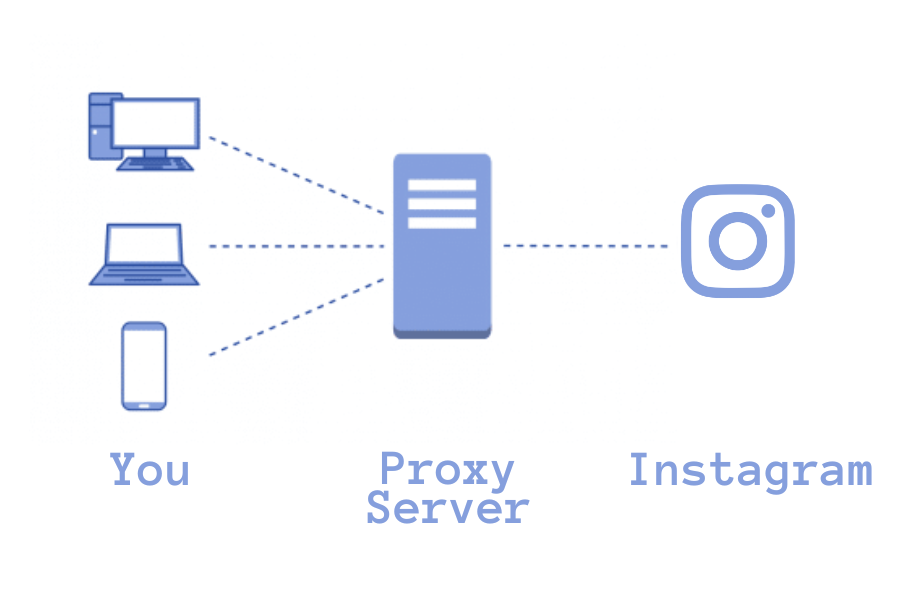
Among other benefits, proxies allow users to remain anonymous while on Instagram’s server. They can also be used to effectively scrap data, monitor industry competitors and increase engagement.
Top 4 Common Mistakes People Make While Using Proxies on Instagram
An Instagram proxy can be a game changer if you know what you are doing with it. However, some users do more harm than good while using them due to inexperience and mistakes on their part. Let’s look at some common user mistakes while using proxies on Instagram.
Using a Single IP for Multiple Accounts
Instagram logs and keeps track of every IP address that sends and receives requests and responses on its server. This is one of the ways they are able to detect when users create multiple accounts on the platform to enforce restrictions and bans.
Meta’s official documentation confirms that Instagram collects device information such as IP address and GPS location, and tracks user activity like posts, messages, and interactions.
Source: Celestine Bahr, Director Legal, Compliance & Data Privacy at Usercentrics
Therefore, overusing the same proxy IP will prove counterintuitive. According to Instagram’s policy, users are allowed to handle up to 5 accounts per device. Hence, using a single Instagram proxy IP to create or handle more than 5 accounts will lead to account restrictions just as your normal IP would.
Incorrect Proxy Configuration
Even though proxies are not illegal, web service providers do not really appreciate their use and Instagram is no exception. Instagram spends millions and hours investigating suspicious IP addresses to keep its platform safe. Incorrectly configuring your proxies will make it easier for Instagram to detect them and flag them as open proxies.

This will effectively block your IP’s access to Instagram and, worse, your accounts. How? Using the wrong proxy configuration can lead to IP leaks. When this happens, Instagram can see the real IP address that is supposed to be masked by the proxy
Breaching Instagram’s Limits
Even though Instagram has not published an official limit for user activity on their platform, doing too much can raise eyebrows. While proxies can create a persona for your bot, your account can still get flagged if your bot is doing much more than a human can do within a given time.
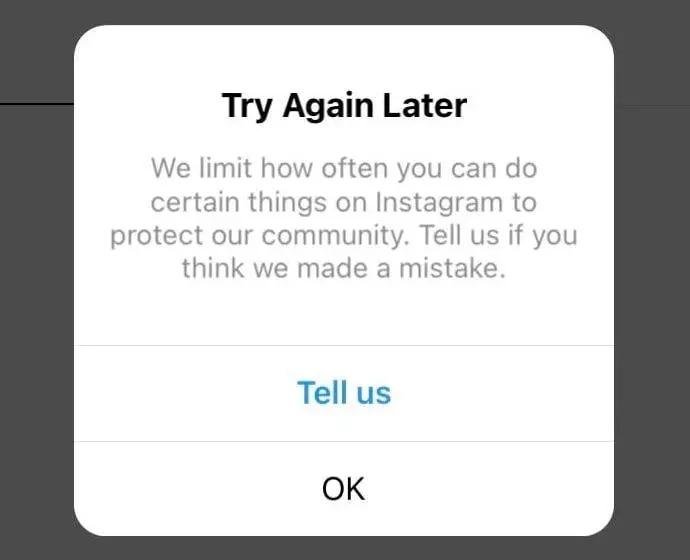
Instagram reviews and investigates user behavior to spot bot activity and enforce bans. Hence, setting up bots to auto-like, follow, and comment more than the average human user would do will likely get you kicked out of Instagram in no time.
Changing Locations Too Quickly
To prevent detection while scraping the internet, proxy users are advised to frequently change their IPs and IP locations. This helps create the impression that a different user from a different location is requesting server resources. However, the exact opposite is desired when it comes to Instagram.
| Aspect | Web Scraping Strategy | Instagram Strategy |
|---|---|---|
| IP Rotation Frequency | ✅ Frequent rotation recommended Change IPs every few requests or sessions | ❌ Maintain consistent IP Use dedicated IP per account |
| Geographic Location Changes | ✅ Rotate locations freely Switch between countries/cities to avoid detection | ❌ Keep location stable Jumping locations flags suspicious activity |
| Goal | Appear as multiple different users accessing content from various locations | Appear as a single, real user with consistent location and behavior patterns |
| Consequence of Wrong Strategy | ⚠️ IP ban from target website ⚠️ CAPTCHA challenges ⚠️ Rate limiting ⚠️ Complete access denial | ⚠️ Account suspension or ban ⚠️ Shadowban (reduced reach) ⚠️ Action blocks (temp restrictions) ⚠️ Permanent account deletion |
| Key Principle | Diversity = Safety Multiple identities from multiple locations | Consistency = Credibility Single identity with stable location |
Human beings cannot yet teleport. Therefore, randomly changing proxy locations is not a good idea. Based on the location tag of your IP address, Instagram can tell where you are accessing its network from. Therefore, magically jumping from one geo-location to another within a short time will get you flagged for using proxies
How To Fix Common Instagram Proxy Mistakes
Now that you know some of the mistakes you could have made while using your Instagram proxies, let’s look at how to fix these mistakes.
Dedicate Proxies For Each Account
To avoid overusing your Instagram proxies, dedicate IPs to each of your accounts. By dedicating IPs to each account, your accounts will appear as accounts belonging to different users. This way the risk of getting blocked for breaching Instagram’s policy on the number of accounts a user can handle is mitigated.
Double Check Proxy Configuration
Ensure that your proxies are optimized and configured properly to work on Instagram. This will prevent IP leaks and protect your IP address from restrictions. When in doubt, you can contact your proxy provider to help you set up your proxies with the right settings. You can also do a simple IP leak test to see if your real IP is masked.
Replicate Human Behavior
Just like any other bot activity on the internet, your Instagram bot must closely mimic a natural human being to avoid raising suspicions. Set a randomized time interval for follows, likes, and comments. You should also keep an eye on the number of posts, likes, and comments you leave on Instagram’s server at any given time. Many Instagram users recommend a maximum of 200 follows, likes and comments per day.
Conclusion
Whether you are a marketer or an account manager, using Instagram proxies can help you achieve your business goals on Instagram. They can help you go around IP bans, handle multiple accounts, and automate your account with bots without risking immediate bans.
However, some inexperienced and even experienced proxy users end up risking their accounts while using proxies. This is usually due to mistakes like using a single IP for too many accounts, performing too many actions in a short period or incorrectly configuring your proxies. This is why at KocerRoxy, we offer a 24/7 customer support service to help you configure your proxies for optimum performance.
Now that you know the top 4 common mistakes when using proxies on Instagram and how to fix them, let’s begin your journey to Instagram success together with the best Instagram proxies. Still in doubt? You are more than welcome to try out our proxies for just $4 for a whole day.
FAQs About Using Proxies on Instagram
Q1. What is an Instagram proxy?
An Instagram proxy is a specialized proxy server that acts as a middleman between your device and Instagram’s servers. It routes your requests while hiding your real IP address, allowing anonymous browsing, data scraping, competitor monitoring, and managing multiple accounts without revealing your actual location.
Q2. How many Instagram accounts can I manage per proxy IP?
You should use one dedicated proxy IP per Instagram account for best results. Instagram allows up to 5 accounts per device/IP address. Using a single proxy for more than 5 accounts risks triggering restrictions and bans from Instagram’s automated detection systems.
Q3. Why did my Instagram account get banned while using proxies?
Common reasons include using one IP for too many accounts, incorrect proxy configuration causing IP leaks, exceeding Instagram’s activity limits, or changing geo-locations too quickly. These behaviors flag accounts as suspicious bot activity, triggering Instagram’s automated security measures and enforcement actions.